Tell Maitaki what a document is
Invoice, statement, skip or other, and fixing a wrong guess.
Also known as: wrong type · classify · categorize · document type · not an invoice · mislabeled · looks right · confirm type · sort document · misfiled
Maitaki sorts everything that comes in: invoices are read, statements are kept, order confirmations and junk are skipped. When it isn’t sure, it asks you. When it gets one wrong, you can change it in a tap.
Answer “What is it?”
A document Maitaki wasn’t sure about shows What is it? in the Inbox. One Maitaki wants you to look at more closely shows Check this in red, with the reason under the title.
-
Tap the card in the Inbox.
-
Tap Open full document if you want to look at it first.
-
Read Maitaki’s guess under the file. Its best guess is marked LIKELY.
-
Tap what it is:
- Invoice: a bill. It’s read and counts in spend.
- Statement: a past-due notice, reminder or monthly statement. Kept, never counted.
- Skip: not needed. It stays under Skipped.
- Other: order guide, menu, recipe, permit opens four more: Order guide or price list, Menu, Recipe, and Permit, license or insurance.
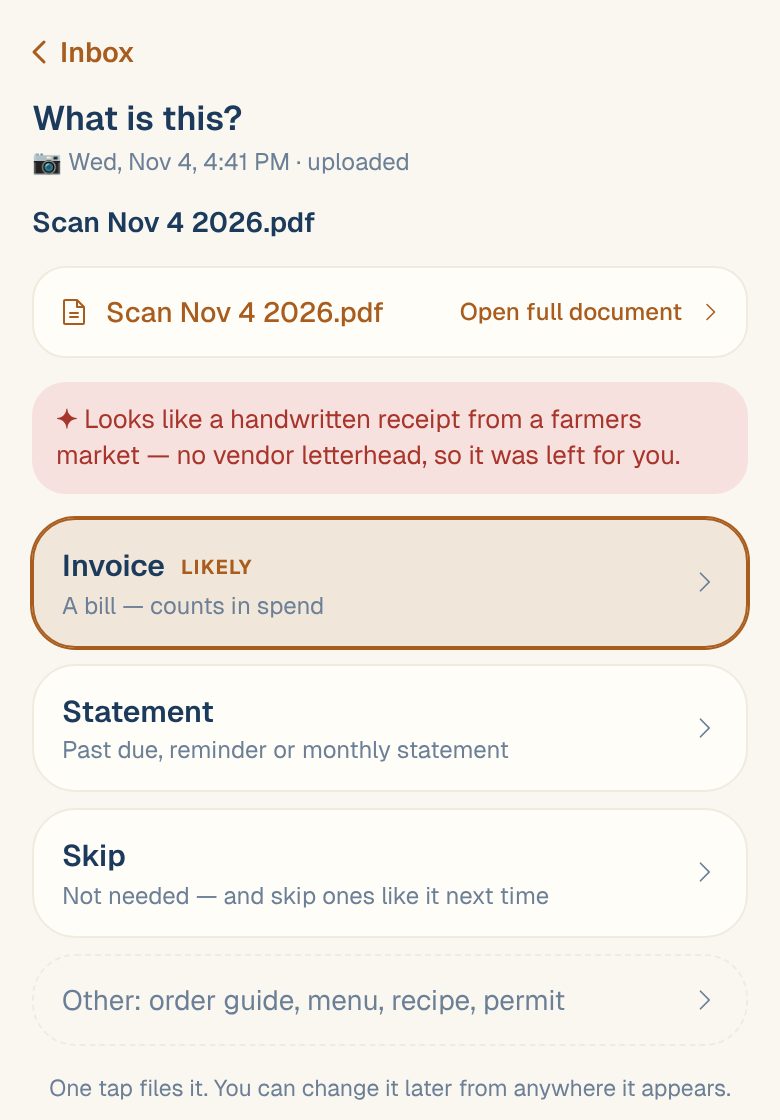
One tap files it. If you chose Invoice, you’ll see Filed as an invoice — reading it now.
Fix a wrong guess
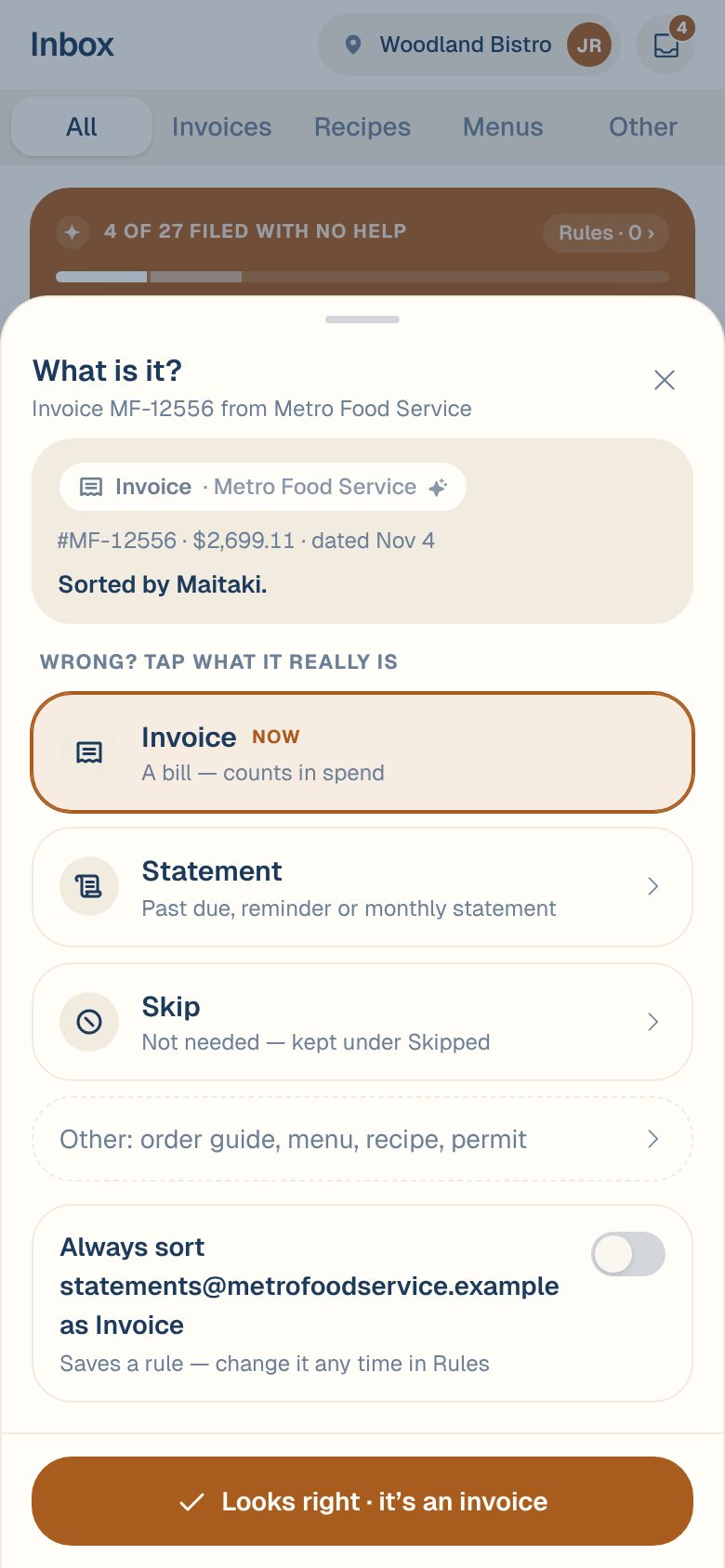
Every card has a chip under its title saying what it was sorted as, like Invoice · Metro Food Service.
- Tap the chip. The What is it? sheet opens, showing who sorted it and why.
- Under WRONG? TAP WHAT IT REALLY IS, tap the right type. The current one is marked NOW.
You can also open the card and tap Wrong? (or Change what it is) under the explanation.
Confirm Maitaki got it right
When the chip is right, tap it and then Looks right. The chip changes to Confirmed.
- If more documents from the same sender were sorted the same way, Confirm the 3 others like it is on, so you confirm them all at once. Turn it off to confirm only this one.
- Changed your mind? Tap the chip again and Undo.
Teach it for next time
Managers, Admins and Owners can make Maitaki sort a sender’s emails the same way every time:
- In the What is it? sheet, turn on Always sort sender as type before tapping Looks right. This saves a rule.
- When you pick a type for an emailed document, Maitaki may show Maitaki learned a new rule with the rule in one sentence. Tap Undo to drop it, or Edit rule to change it. If older documents look the same, tap Change them too to sort those the same way.
See Sorting rules for emailed documents.
Common questions
What happens if I change an invoice to Skip?
Its invoice is set aside and stops counting in your spend. The document stays under Skipped, and if you change it back to Invoice later, the invoice comes back too. See Restore something you skipped.
A verified invoice can’t be changed this way. Open it, unverify it first, then change what it is. See Re-open or delete an invoice.
I can't change what a document is.
You probably have Viewer access, which can look but not sort. Ask an Owner or Admin to change your role. See Roles: who can do what.
What's the difference between Skip and Statement?
Both are kept and neither counts as spend. When Maitaki sorts an emailed statement itself, it also reads the invoice numbers on it and tells you which ones you don’t have. See Statements and past-due reminders.