Restore something you skipped
Bring a skipped document back to the Inbox.
Also known as: undo skip · dismissed · recover · bring back · undelete · unskip · skipped by mistake · put back · missing from inbox · get it back
Nothing that reaches the Inbox is ever thrown away. Skipped documents, dismissed copies and order confirmations are all kept under Skipped, so you can bring one back if it was set aside by mistake.
Find it
- Open the Inbox.
- Tap Skipped, next to Review and All.
- Tap the document.
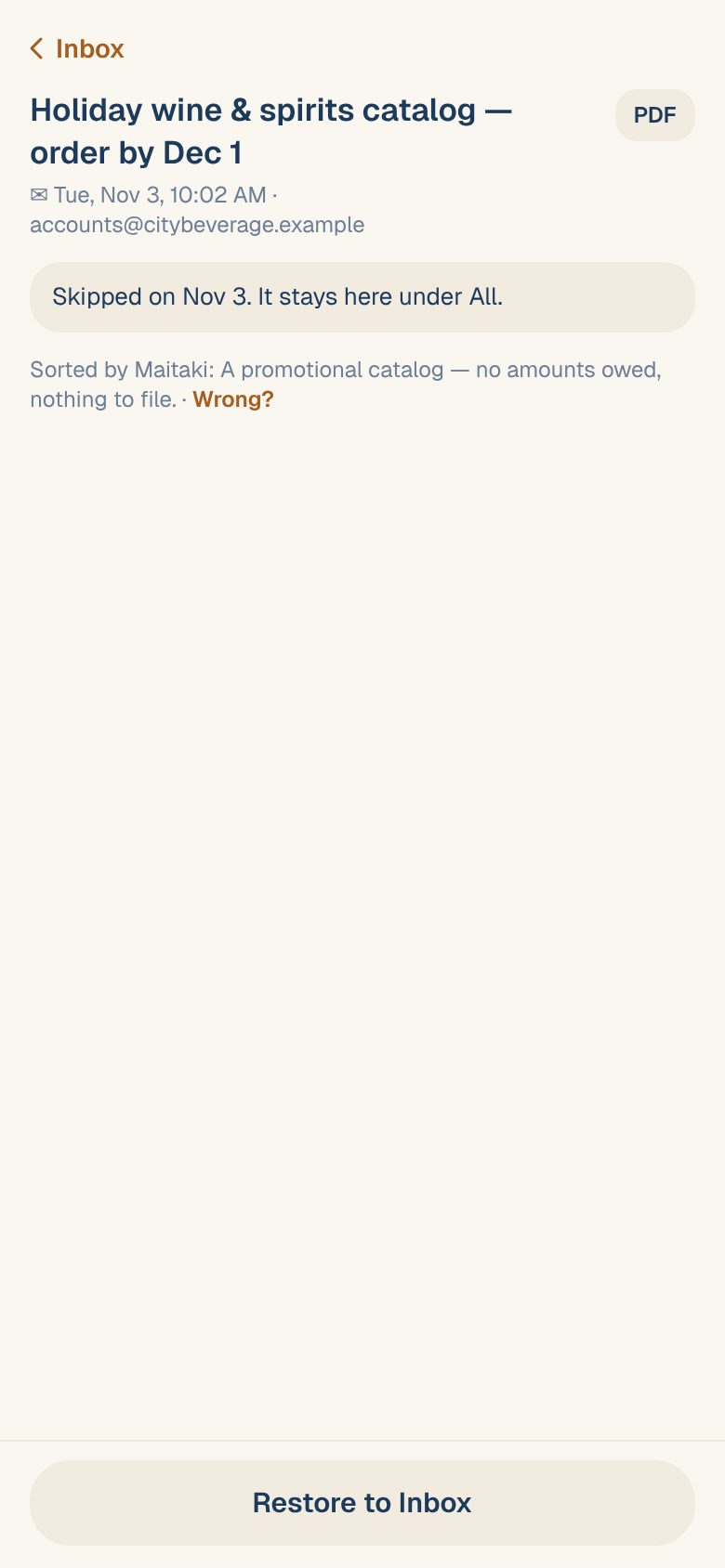
The screen says why it’s there, for example Skipped on Nov 3. It stays here under All., and who sorted it.
Bring it back
Choose the way that fits what you see:
- Restore to Inbox at the bottom brings it back into the Inbox. You’ll see Restored to the Inbox.
- Wrong? under the explanation lets you say what it really is, like Invoice or Statement. Use this when it was sorted wrongly in the first place. See Tell Maitaki what a document is.
What else is under Skipped
| You’ll see | What it is | To bring it back |
|---|---|---|
| Skipped or Dismissed | Set aside as not needed | Restore to Inbox, or Wrong? |
| Skipped · order | An order confirmation. It’s kept to spot a missing invoice and never counts. | Tap Wrong? and choose what it really is. See Why order confirmations don’t count. |
| Already have it | An emailed invoice with the same number as one in Purchases, so it wasn’t read again | It’s a different bill, keep it, then Keep it. See Duplicate invoices. |
Common questions
I deleted an invoice. Is it under Skipped?
No. Deleting an invoice is different from skipping a document. See Re-open or delete an invoice.
Will Maitaki skip it again next time?
It can, if a sorting rule matches it. A Manager can check under Rules at the top of the Inbox and change or turn off the rule. See Sorting rules for emailed documents.