Archive a location
Hide a location you've closed or no longer use. Its data is kept.
Also known as: delete location · close store · hide location · closed down · remove restaurant · shut down · sold restaurant · remove branch · deactivate location · unarchive
When a restaurant closes, or you added a location by mistake, archive it. It disappears from the app for everyone, and nothing in it is deleted.
Archive it
- Open the account menu (your location and avatar, top right on a phone; bottom left on a computer) and tap Settings.
- Under Locations, tap the location.
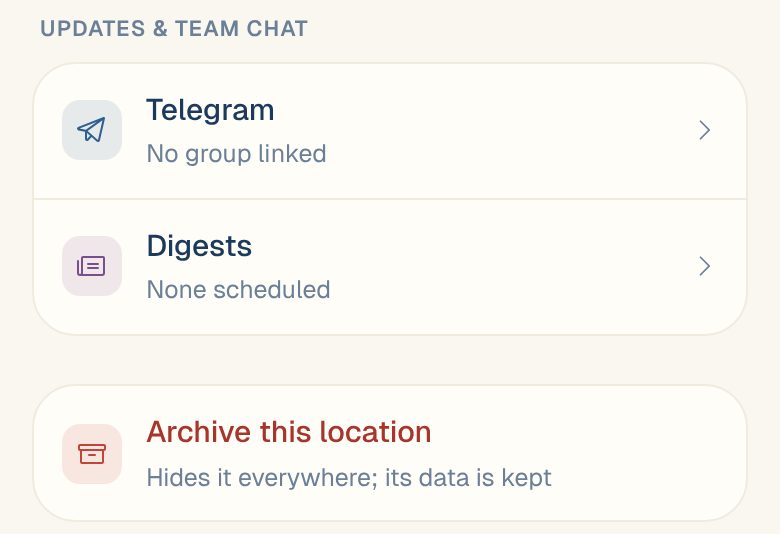
- Scroll to the bottom and tap Archive this location.
- Maitaki asks whether to archive it: It will be hidden from the app. Its data is kept. Confirm to archive it.
You’re taken back to Settings, and the location is gone from the list and from the account menu.
What happens to its data
Its invoices, sales, labor and settings are kept. They’re hidden from everyone, including you, while the location is archived.
Bring an archived location back
There’s no button for this in the app. Email support@maitaki.ai with the location’s name and we’ll bring it back.
Common questions
I don't see Archive this location.
Only Admins and the Owner can archive a location.
Should I archive a location that's closed for the season?
You don’t have to. A location you’re not using does no harm. If you’d rather hide it, archive it and email us when you reopen.
Can I delete a location for good?
Not from the app. Email support@maitaki.ai if you need data removed.