DoorDash and other apps in your sales
Maitaki names the ordering apps your POS already records, like DoorDash or Uber Eats, with nothing to set up.
Also known as: doordash sales · uber eats · grubhub · ezcater · delivery · online orders · third party · ordering app · marketplace · takeout apps · caviar
When an ordering app’s orders reach your POS, your POS usually records which app paid, as a payment type or in the order’s name. Maitaki reads that and shows each app’s part of your net sales. It works with Toast, Clover and Loyverse, and there’s nothing to turn on.
These amounts are what your POS rang, before the app takes its fees. That’s why they’re tagged Pre-fees.
Where you’ll see them
| Screen | What it shows |
|---|---|
| Report summary | Under Net sales, each app with its orders and amount, like incl. DoorDash · 35 orders. It’s part of net sales, never added on top. |
| Share of sales | Each app as its own row. |
| Payments | An Ordering apps group with each app’s payment types. |
| A day on the Sales tab | A bar splitting the day into Your POS and each app, and the app’s name on each of its orders. |
See which apps Maitaki found
- Open the account menu (your location and avatar, top right on a phone; bottom left on a computer) and tap Settings.
- Tap your location, then Sales.
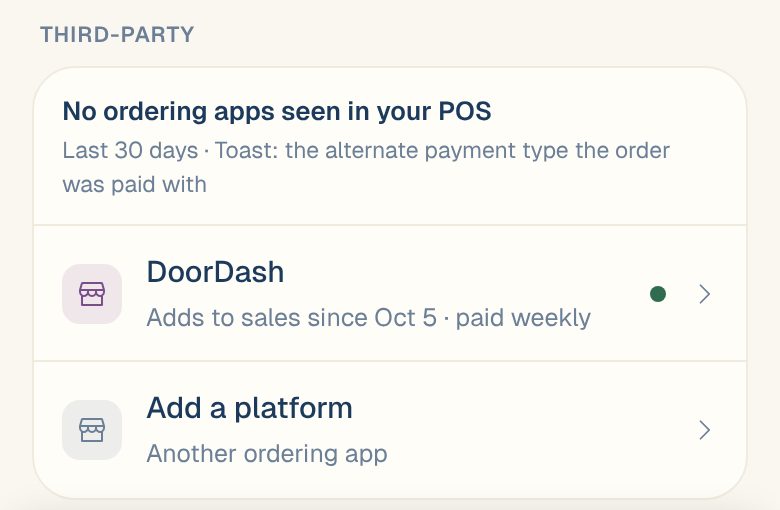
- Under Third-party, Seen in your POS lists the apps found in the last 30 days, with each app’s orders and net sales.
Maitaki recognizes DoorDash, Uber Eats, Grubhub, Seamless, ezCater, Caviar, Postmates, ChowNow and Slice, even when the name is spelled differently, like EZCATERING or Door Dash.
Tell Maitaki what a payment type is
If your POS uses a name Maitaki doesn’t know, like DD Delivery, you can tell it which app that is. Managers and above can do this.
- In Settings › your location › Sales, scroll to Payment types in your POS. It lists every payment type besides card and cash from the last year.
- Each one says Recognized as an app, or Not recognized — pick the app if it is one.
- Use the menu next to it to pick the app, or Not an ordering app. Auto leaves it to Maitaki.
- Tap Save.
Maitaki recounts every day from the start. You’ll see Saved and how many days were recounted. Your totals don’t change, only which app each sale is shown under.
Common questions
Can I see DoorDash's fees and payouts?
Not from your POS alone. That needs DoorDash’s own files. See DoorDash and Slice fees and payouts.
An app's orders never reach my POS. Are they missing?
Maitaki can only name orders your POS has. For orders that never reach it, see DoorDash and Slice fees and payouts.
I use a Valor terminal only. Why don't I see apps?
A card terminal doesn’t record which app an order came from. Apps show only when a POS is connected.