Rename your organization
Change the name your team sees on invites and digests.
Also known as: company name · business name · group name · restaurant group · org name · change name · trading name · brand name · spelling mistake
Your organization is the group that holds all your locations. Its name is shown on invites and digests. Only the Owner can change it.
Change the name
- Open the account menu (your location and avatar, top right on a phone; bottom left on a computer) and tap Settings.
- Under Team, tap Organization.
- Edit the Organization name.
- Tap Save. You’ll see Saved.
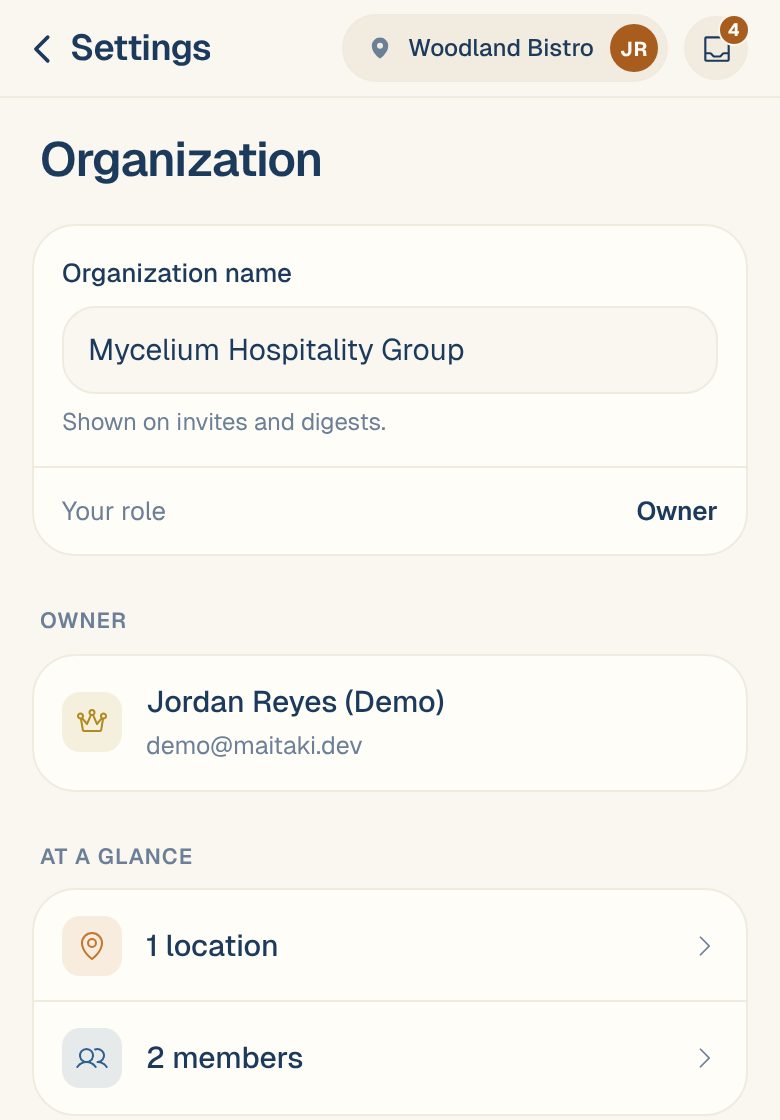
If you’re not the Owner, the name is greyed out and the page says Only the owner can rename the organization. The Owner section shows who to ask.
Common questions
How do I rename one restaurant instead?
Each location has its own name. In Settings, tap the location, then Name & business day. Change the Location name and tap Save changes. Managers can do this.
What else is on the Organization page?
Your role, who the Owner is, and how many locations and members you have. Tap a count to open that list.