Move a product to another ingredient
Fix a product that was matched to the wrong ingredient.
Also known as: wrong ingredient · mismatch · relink · reassign · different product · split ingredient · unmerge · wrong match · mapped wrong
Sometimes a vendor’s product ends up under the wrong ingredient: 5 oz burger patties pooled with 8 oz ones, or honeydew filed as cantaloupe. Its prices then pull the ingredient’s cost the wrong way. Moving the product puts it, and all its prices, where it belongs.
Spot a product in the wrong place
On the ingredient page, under Vendors & products, look for a product tagged different product?. Maitaki adds it when one product’s price per unit is far from the others on the same ingredient. Open its ⋮ menu and you’ll see Prices very differently from the other products here — it may be a different item. Consider moving it out.
It’s only a nudge. Some products are pricier for good reason, like organic or a premium brand.
Move it
-
Tap Library, then the ingredient the product is under now.
-
Under Vendors & products, tap ⋮ on the product’s row.
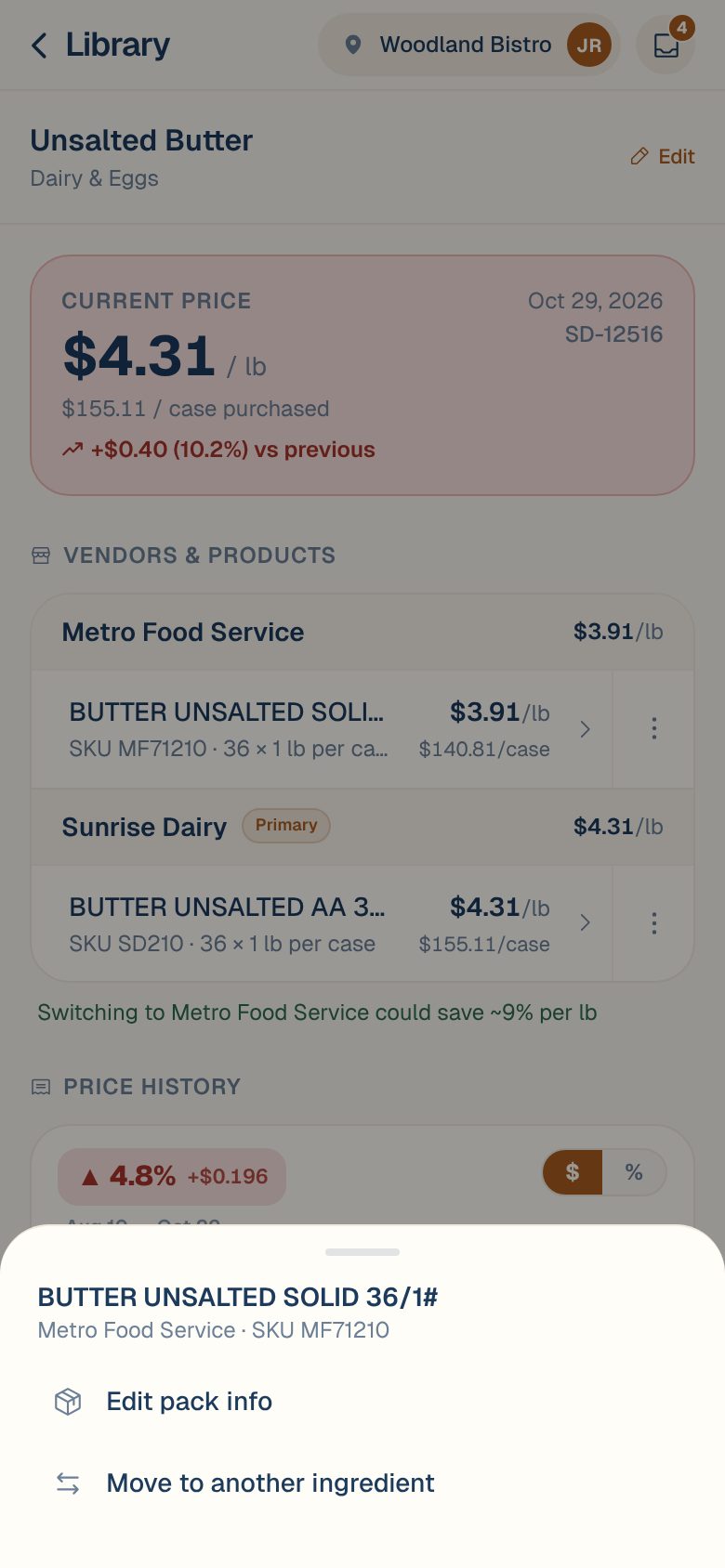
-
Tap Move to another ingredient.
-
Search for the ingredient it belongs to, and tap it.
-
Tap Move to that ingredient.
You’ll see Moved to the ingredient. You can also start from the product’s own page: tap the product, then Move to another ingredient at the bottom.
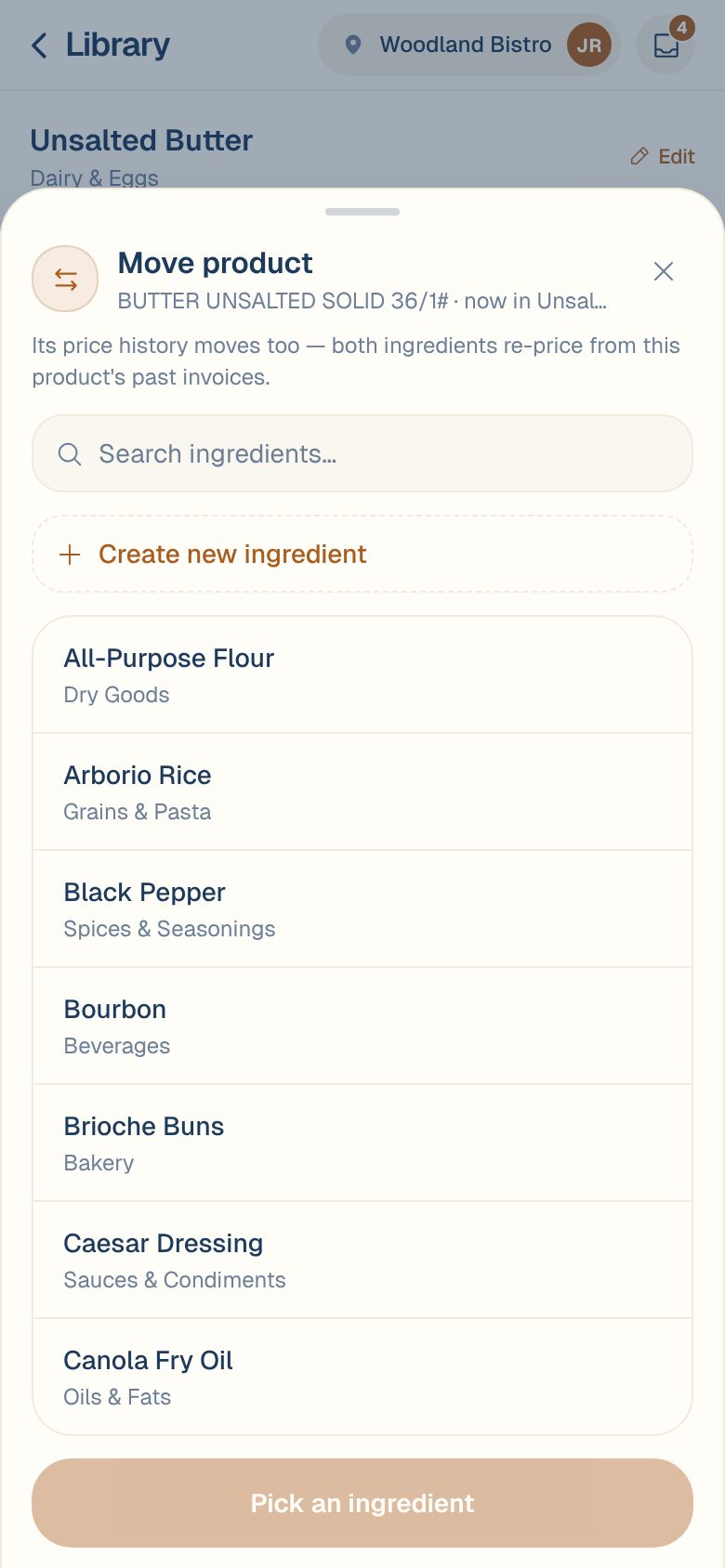
Move it to a new ingredient
If the right ingredient doesn’t exist yet:
- In Move product, type its name in the search box.
- Tap Create new ingredient ”…”.
- Check the New ingredient name. It’s priced in the same unit as the ingredient the product is leaving.
- Tap Create & move here.
What moves with it
- Its price history. Every invoice line for the product goes with it, including on verified invoices. Both ingredients re-price from what’s left.
- Future invoices. New invoices for the product feed the new ingredient.
- Not your recipes. Recipes use ingredients, so they keep the ingredient they named. If a recipe should now use the other one, change it in the recipe.
Same as fixing it on an invoice. Changing the ingredient on one invoice line moves the whole product the same way. See Link a line to the right ingredient.
Common questions
The whole ingredient is a duplicate, not just one product.
Merge the ingredients instead. Everything moves in one step. See Merge duplicate ingredients.
I moved the wrong product.
Move it back the same way: open the ingredient it’s under now and move it to the original one.
I don't see the ⋮ button.
You have Viewer access, which can look but not move products. Ask an Owner or Admin to change your role.