Invite someone to your team
Send a link that gives a manager, cook or bookkeeper exactly the access they need, at every location or just one.
Also known as: add user · add employee · add staff · new member · give access · share access · invitation · add manager · invite link
People join Maitaki through an invite link. Nothing is shared with them until they accept it, and you choose their role and which locations they can open before you send it.
There are two ways to invite someone, depending on your role:
| You are | Where to invite from | Who you can invite |
|---|---|---|
| Owner or Admin | Settings → Members | Anyone, to every location or chosen ones |
| Manager | Settings → your location → Team at this location | Staff for that location only |
Invite to your whole organization
- Open the account menu (your location and avatar, top right on a phone; bottom left on a computer) and tap Settings.
- Tap Members, then Invite.
- Enter their email. This is recommended, because it locks the invite to them.
- Pick a role. Not sure which? See Roles: who can do what.
- Choose All locations, or Specific locations and set a role for each one.
- Tap Create invite link.
- Tap Copy and send the link to them by text, email or chat.
Sending the invite email from Maitaki: support content coming soon. Copying the link works today.
Invite to one location
-
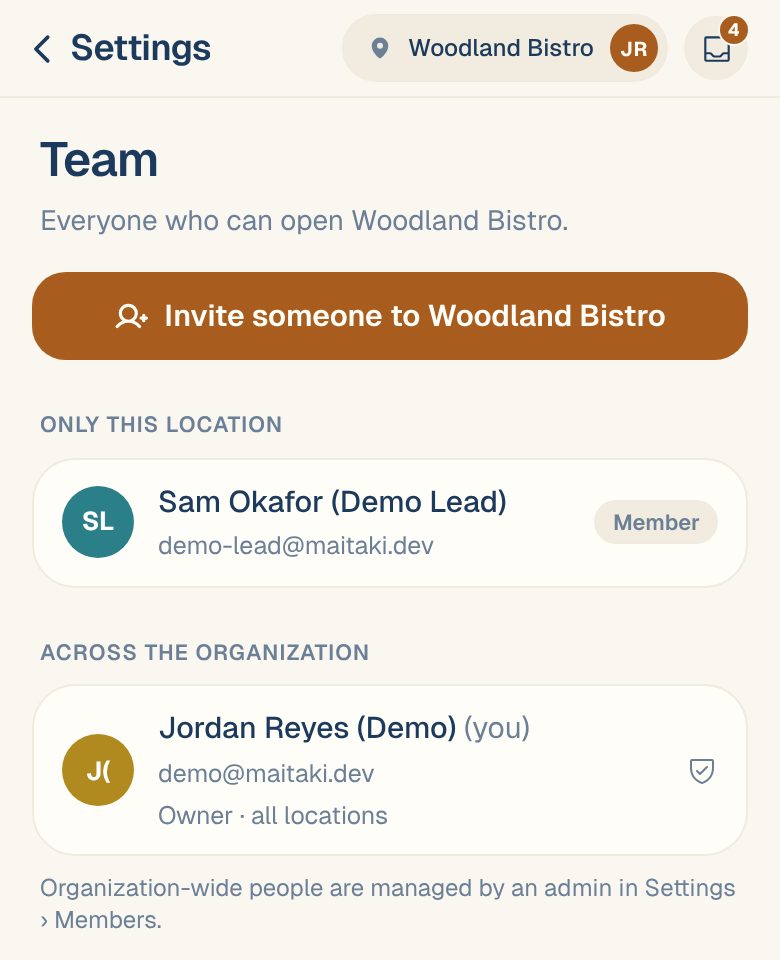
Go to Settings, tap your location, then Team at this location.
-
Tap Invite someone to your location.
-
Enter their email and pick Viewer, Member or Manager.
-
Tap Send invite, then copy the link it shows and send it to them yourself.
If they already use Maitaki, they get access straight away and no invite is needed.
What they’ll see
Their link opens a page that says You’re invited to join with your organization’s name and their role. New people tap Create account to join; people who already have an account tap I already have an account. Either way they land in your restaurant once they’re signed in.
Invites expire after 7 days. If one runs out, send a new one from Pending invites.
Common questions
They never got the email.
Support content coming soon. Email support@maitaki.ai and we’ll walk you through it.
In the meantime, go to Pending invites, tap Copy invite link, and send it to them by text or chat.
How do I cancel an invite I sent by mistake?
Under Pending invites, tap Revoke invite. The link stops working straight away.
Can I change their role later?
Yes. Tap their name in Members to change their role or locations, then Save access. See Change someone’s role or locations.
Do they need to link Telegram?
No, but it helps. Once linked, they can log cash and ask questions from your team’s Telegram group. See Link your Telegram.