Cost a recipe
Build a recipe from the ingredients you buy and see what the whole batch and each portion cost, at today's prices.
Also known as: plate cost · recipe cost · food cost · cog · cogs · theoretical cost · cost per plate · recipe costing · spec sheet · plate spec · reciepe · recipie
A recipe in Maitaki is a list of ingredients with quantities. Each ingredient is priced from your latest invoices, so the recipe’s cost is always current. When a vendor raises a price, every recipe that uses it moves too.
Create the recipe
-
Tap Library, then the Recipes tab.
-
Tap + New recipe.
-
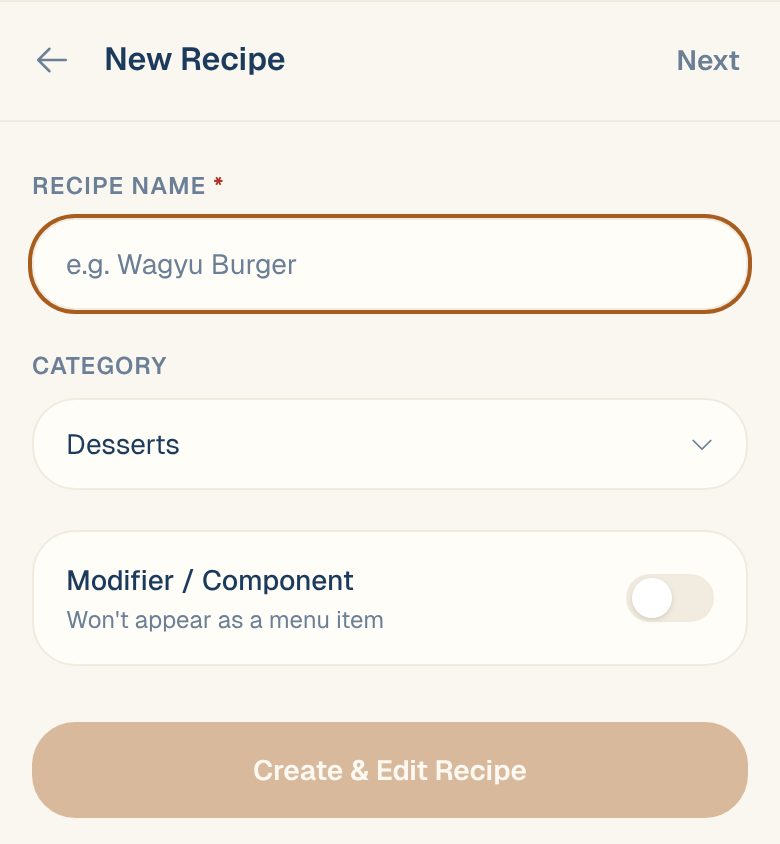
Enter the Recipe Name and pick a Category if you like.
-
Tap Create & Edit Recipe.
Set the yield
Under Recipe Yield, enter how much the recipe makes: for example 1 portion for a dish, or 2 qt for a sauce.
How yield affects your menu food cost: support content coming soon. Email support@maitaki.ai and we’ll walk you through it.
Add the ingredients
- Tap + Add ingredient.
- Search for it. Ingredients come from your invoices; other recipes are tagged sub-recipe.
- Enter the Qty and pick a Unit.
- Add a prep note if you want, like diced.
- Tap Add. Repeat for each ingredient.
- Tap Done to save.
Can’t find an ingredient? Tap + Create ingredient ”…” to add it now. It’ll get a price once an invoice with it comes in.
Read the cost
Once saved, the top of the recipe shows two numbers:
| Number | What it is |
|---|---|
| Food cost | What the whole recipe costs to make, at current prices |
| per portion (or per your yield unit) | Food cost divided by the yield |
Each ingredient line shows its own cost. A line that shows — couldn’t be priced, and isn’t counted in the total. See below.
How each line is priced
Maitaki takes the ingredient’s current price — the most recent purchase from any vendor, ignoring prices that look wrong — and converts it to the unit you used in the recipe.
Example: you bought onions at $22.00 for a 50 lb bag. That’s $0.44 per lb. Your recipe uses 8 oz, so the line costs $0.22.
When a line shows ”—”
The line couldn’t be priced. The usual reasons:
The ingredient has no price yet
It hasn’t appeared on an invoice yet, or was added by hand. It prices itself as soon as an invoice with it is read.
The units don't convert
Weight converts to weight and volume to volume. To use a count, like 2 lemons, for something you buy by the pound, open the ingredient, tap Edit, and fill in One piece weighs about. Units like portion, batch or sprig never convert.
The pack size is missing
If the invoice says $45 per case but Maitaki doesn’t know what’s in the case, it can’t work out a price per pound. Open the ingredient and look for the product marked needs pack. See Set a product’s pack size.
Common questions
Is this the same as the food cost % on my Sales report?
No. A recipe’s cost is what a dish should cost, from its recipe. The Food cost (COG%) on your Sales report is what you actually spent on purchases, divided by your sales. A gap between the two usually means waste, over-portioning, or a recipe that needs updating.
Can I use one recipe inside another?
Yes. Make the sauce or prep as its own recipe with its yield set, then add it to the dish like any ingredient. See Use prep recipes inside dishes.
How do I change a quantity?
Support content coming soon. Email support@maitaki.ai and we’ll walk you through it.