Send a document through Chat
Attach a photo, PDF or spreadsheet in Chat and add a note.
Also known as: paperclip · chat attach · send file · excel · csv · spreadsheet · attachment · xlsx · price sheet · message a file · upload in chat · share document
Chat takes more than invoices. Attach a photo, PDF or spreadsheet, say what it is if you like, and Maitaki works out what to do with it: read an invoice, save a vendor’s pack sizes and prices from an order guide, and more.
Attach a document
- Tap Chat at the bottom of the screen.
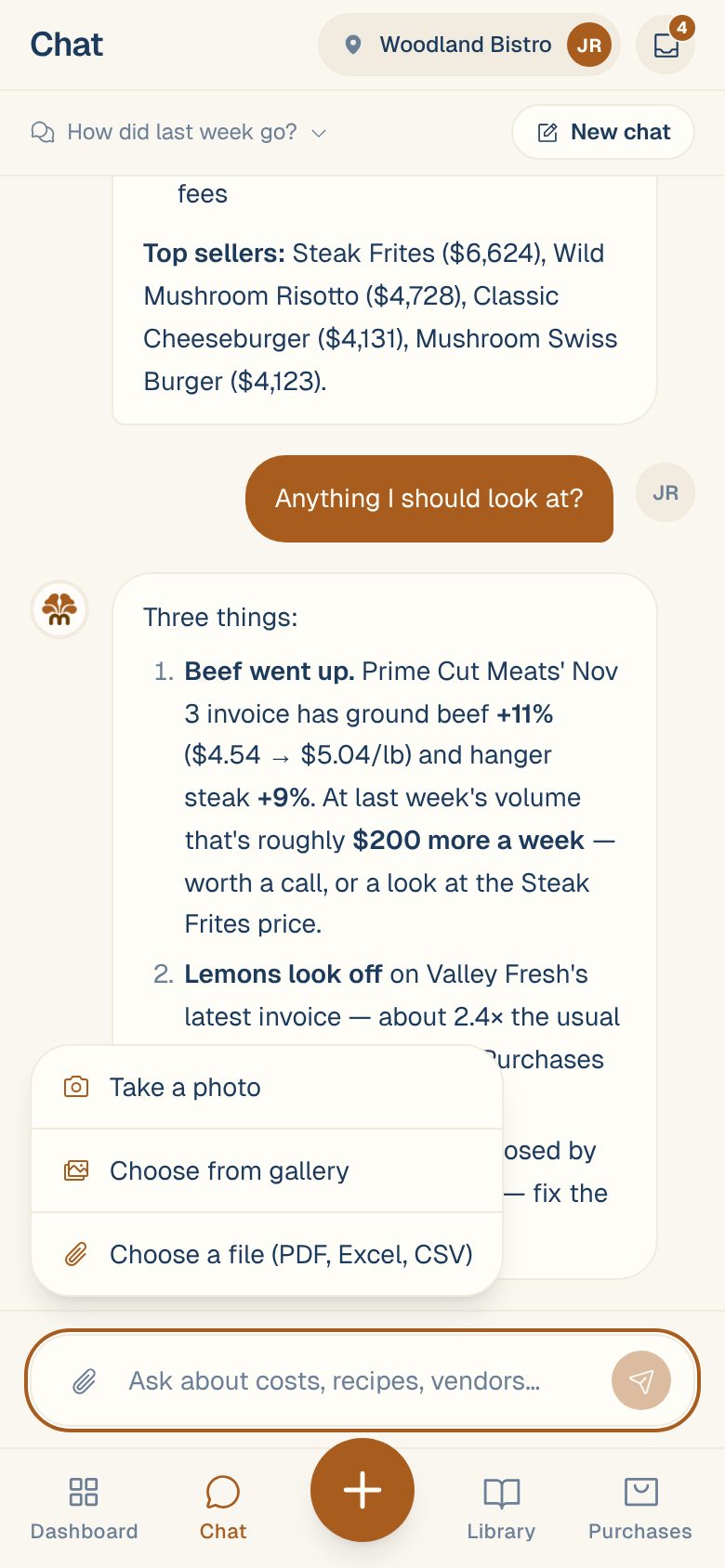
- Tap the paperclip next to the message box.
- Choose Take a photo, Choose from gallery or Choose a file (PDF, Excel, CSV).
- The document appears above the message box. Type a note, or leave it empty. The box says Add a note, or just hit send…
- Tap send.
You can attach one document per message. To remove it before sending, tap ✕ on it.
A short note helps. “This is Sysco’s order guide” or “Invoice from Tuesday’s produce delivery” tells Maitaki what it’s looking at, and saves it guessing.
What Maitaki does with it
Maitaki looks at the document and replies in the chat. What happens next depends on what it is:
| You send | What happens |
|---|---|
| An invoice | It’s read like any upload and waits in the Inbox for review. |
| A vendor’s order guide or price list | Maitaki offers the pack sizes and prices it found for you to check and approve. See Upload a vendor’s order guide. |
| A menu | It’s read into the Library. |
Everything you send in Chat also shows in the Inbox, marked Chat Uploaded. Use the Source filter there to see only those. If Maitaki can’t tell what a document is, it waits there as What is it? for you to choose. See Tell Maitaki what a document is.
Common questions
Which file types can I send?
Photos, PDFs, CSV files and Excel workbooks (.xlsx and .xls). For an Excel workbook, only the first sheet is sent, so put what you need on the first tab.
Should I use Chat or Scan Invoice for invoices?
Both work. Scan Invoice is quicker for a pile of invoices, since you can add many photos or PDFs at once. Chat suits a one-off document, or anything that isn’t an invoice. See Photograph a delivery invoice.
It says "Unsupported file type".
Chat takes photos, PDFs, CSV and Excel files. Save other files as a PDF first, then attach that.