What "Needs review" means
Every invoice is checked to make sure it was read correctly. Here's each check in plain words, and how to clear it.
Also known as: to review · red chips · why not verified · low confidence · line math · checks · reconcile · can't verify · alerts
Maitaki checks every invoice to make sure it was read correctly. When every check passes, it’s Ready to verify. When one doesn’t, it waits in To review so a person can take a look.
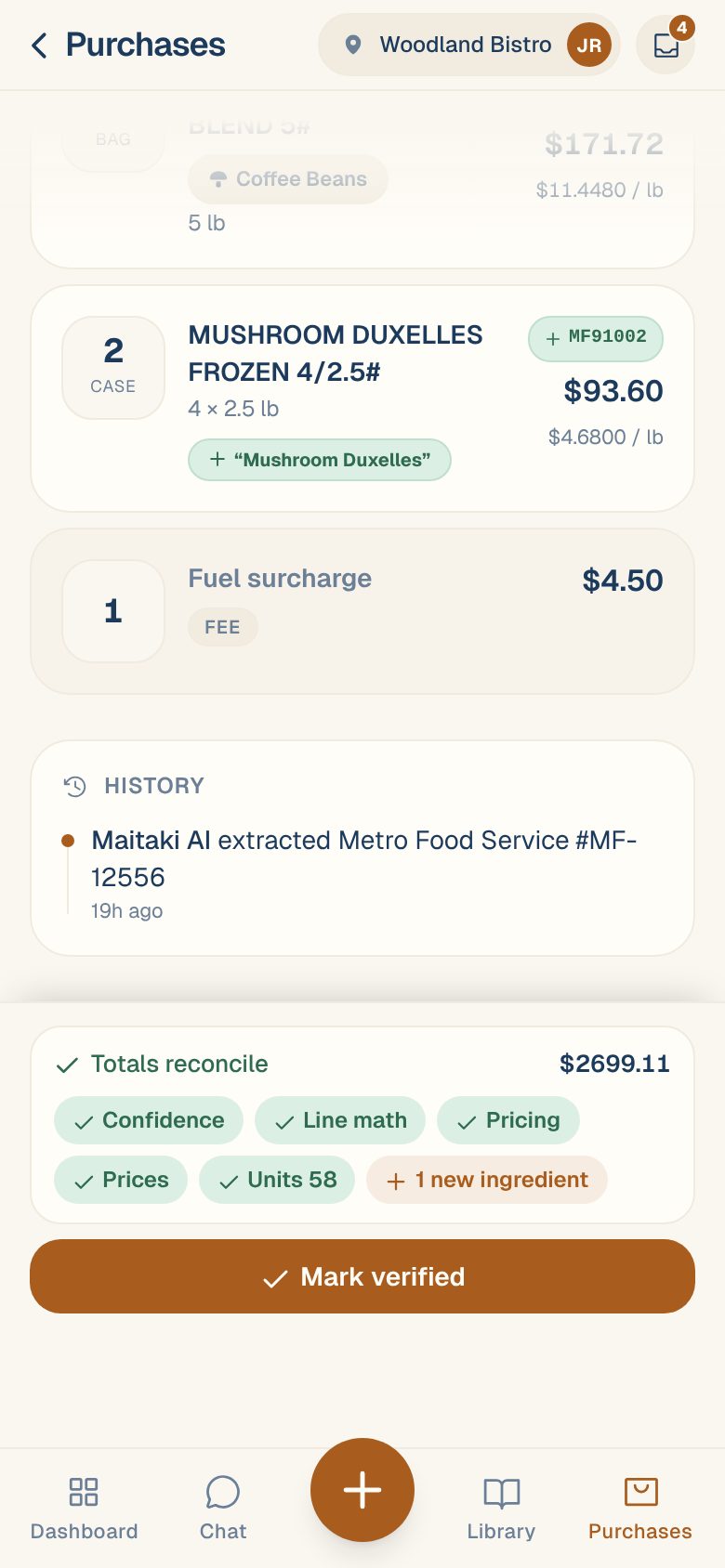
You’ll see the checks as chips at the bottom of the invoice. Green chips passed; red ones need you. Tap Mark verified to go through them one by one.
The checks
Totals reconcile — the lines add up to the printed total
Maitaki adds up every line and compares it with the total printed on the invoice, to the cent. If they differ, the most common cause is tax or a fee that’s printed at the bottom rather than as a line. When the gap looks like tax, you’ll see Add derived tax line — tap it to add the missing line. For anything else, see When the lines don’t add up to the total.
Confidence — every line was read clearly
A line Maitaki wasn’t sure about, often because of a smudge or handwriting, shows as N lines to double-check. Tap the line, compare it with the photo, and fix anything that’s wrong.
Line math — quantity × price = amount on every line
If a line’s quantity times its price doesn’t equal its amount, one of the three was misread. Weighed items like meat are checked as weight × price per pound.
Pricing — every line can be turned into a cost
To know what a pound of chicken costs, Maitaki needs to know what’s in a case. A line marked needs pack is missing that. Tap it and fill in what one case holds. See Fix “Can’t price” and “Needs pack” lines.
Prices — no price looks wrong
Each price is compared with what you usually pay. One that’s far off is flagged Check price and isn’t used for your costs until you decide. Usually a pack size was read wrong; tap Use the suggested pack. If the price really is right, tap Price is right. See Handle “Price looks off”.
Units — every unit shipped is accounted for
Many invoices print how many units were shipped. If the lines hold fewer, some rows were probably missed when reading. Compare the lines with the original, and see When the lines don’t add up to the total.
Vendor — the invoice has a vendor
Tap Edit at the top of the invoice and pick the vendor, or create a new one.
Might be a copy — it isn't a duplicate
It looks like an invoice you already have. Compare the two and choose Same invoice or Different bill. See Duplicate invoices.
Checks that don’t hold an invoice
New ingredients don’t stop you verifying. A line that isn’t linked to an ingredient yet becomes a new ingredient when you verify, and you’ll see + N new ingredients so nothing surprises you.
Accept a check without fixing it
Sometimes a check fails for a good reason — a vendor that prints a rounded total, for example. In the Verify invoice sheet, tap Looks fine on that check. You can undo it until you verify.
Common questions
Can Maitaki verify invoices on its own?
Yes. A Manager can turn on Auto-verify in Settings → your location → Invoices. Even then, a vendor’s first invoice, anything that might be a copy, a price that looks off, and an invoice with no printed total always wait for a person.
I verified an invoice by mistake.
Open it and tap Re-open for review. It goes back to To review.