Add someone who isn't in your timesheets
Owners, GMs and salaried staff who don't clock in still cost money. Add them by hand so their pay counts in labor cost.
Also known as: add employee · new hire · owner salary · add staff manually · gm · general manager · salaried manager · doesn't clock in · missing employee
Your labor cost only includes people Maitaki knows about. If an owner, general manager or chef is paid but never clocks in, add them to the roster by hand so their pay is counted.
Add a person
-
From the Dashboard, tap the Labor card header, then the Roster tab.
-
Tap Add person.
-
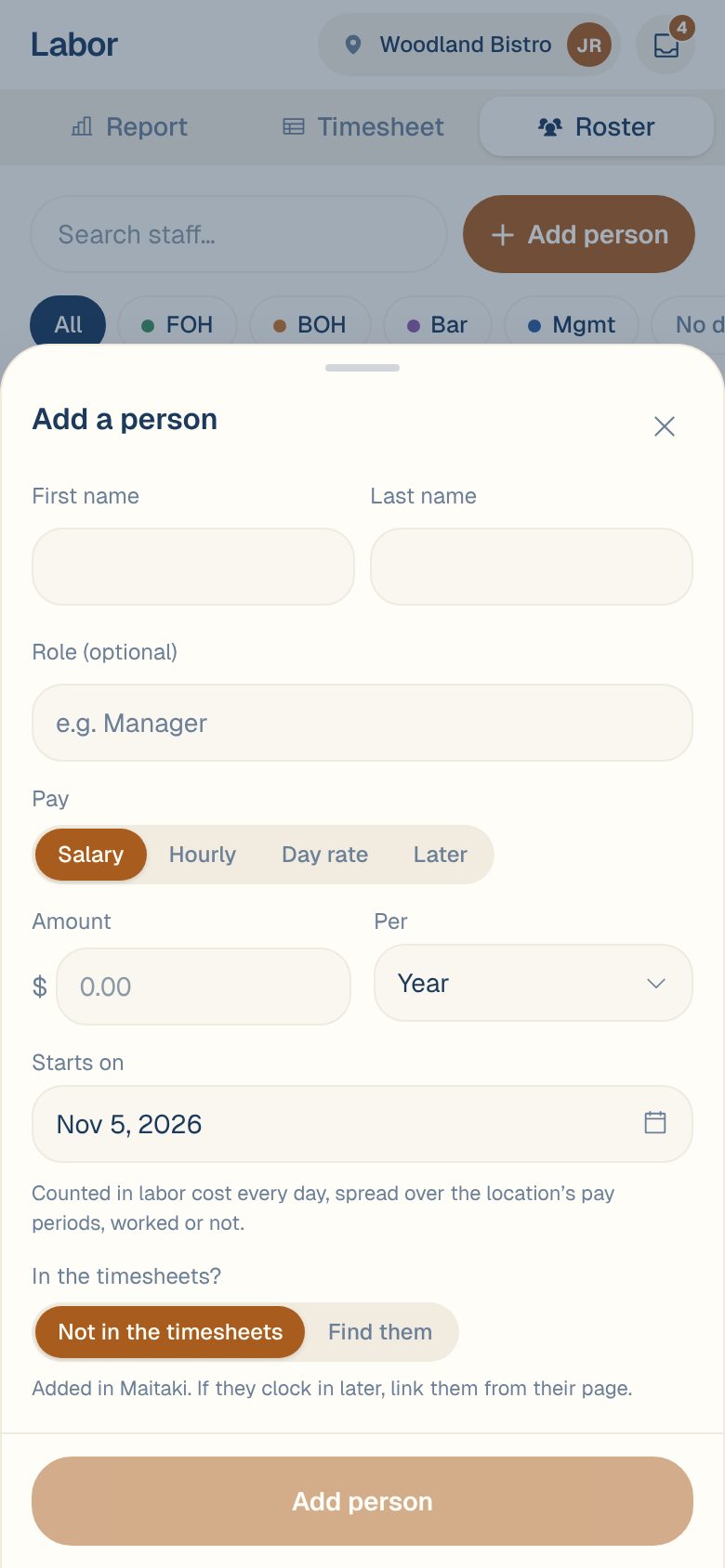
Enter their First name and Last name.
-
Add a Role if you like, such as General Manager. It’s optional.
-
Under Pay, choose Salary, Hourly, Day rate or Later.
-
Enter the Amount. For a salary, also choose Per: Year, Month, Semi-monthly, 2 weeks or Week.
-
Set Starts on, the first day this pay applies.
-
Under In the timesheets?, leave Not in the timesheets selected.
-
Tap Add their name.
Maitaki opens their pay page. On the roster they show Added in Maitaki and Not linked.
Set your payroll period first. A salary is costed by your pay periods, so each period adds up to what payroll pays. See Set your payroll period.
If they start clocking in later
When someone you added starts showing up in your timesheets, link the two so they stay one person.
- Open their pay page from the Roster.
- On the Timesheet card, tap Link to a timesheet person.
- Search by name or timesheet ID and pick them.
- Read What happens, then tap Link to their name.
Their pay, bonus and role move to the timesheet person, and the roster shows one person. Their shifts stay as they are. If both of them have pay set for the same dates, Maitaki asks which one should count.
Common questions
They're already in my timesheets but have the wrong name or no wage. Do I add them again?
No. In the Add a person sheet, choose Find them under In the timesheets? and search for them by name or timesheet ID. They get the name and pay you entered, and no second person is made. To change pay only, see Set or change someone’s pay.
I don't know their pay yet.
Choose Later under Pay. You can add it from their pay page any time with Add a pay change.
I linked the wrong person. Can I undo it?
Yes. On their pay page, tap Unlink on the Timesheet card, then Unlink again. They go back to being two people, and the pay that came from the person you added goes back to them.