Add Maitaki to your team's Telegram group
Link a group, and choose what it can see.
Also known as: telegram bot · team chat · group chat · /link · clearance · link code · staff group · topic · forum · permissions
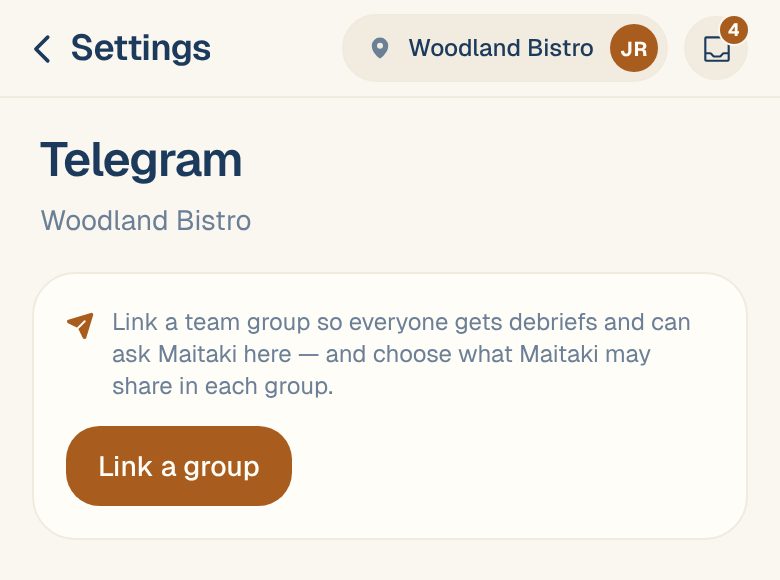
Link your team’s Telegram group to a location, and the Maitaki bot joins the conversation there. People can ask it questions and log cash, and your digests post to the group. You choose what the bot may share in each group, so a staff group never sees your sales.
Link a group
You’ll need the Maitaki app and the Telegram group open, and you need to be an Owner or Admin.
- Open the account menu (your location and avatar, top right on a phone; bottom left on a computer) and tap Settings.
- Tap the location, then Telegram under Updates & team chat.
- Tap Link a group. Maitaki shows two steps and a code.
- In Telegram, add @MaitakiBot to your group.
- In the group, send /link followed by the code. Tap Copy “/link CODE” in Maitaki to copy the whole message.
The bot replies This group is linked to your location. Back in Maitaki, the group appears as Group ·•• and the last four digits of its Telegram number.
The code works once and expires after 15 minutes. If it runs out, tap Link a group again for a new one.
One group per topic. In a Telegram group with topics, send /link CODE inside the topic you want. Each topic can be linked to its own location, so one group can serve several restaurants.
Choose what the group can see
Every group starts at Operational only. To change it, open Settings, the location, then Telegram, and pick an option under What Maitaki can share here:
| Setting | What the bot shares in the group |
|---|---|
| Operational only | Operational help, like which invoices need review, and cash logging. No sales, food cost, spend, prices or labor. Asked about those, it says it can’t share financial figures in this chat. |
| Managers — financials | Everything a Manager sees: sales, labor, food cost, spend and price alerts, report images and pay period reviews. |
The bot answers at the group’s setting, whoever asks. Choosing Managers — financials shows ⚠ Everyone in this group can see sales, COGS & spend. Use it only for a group of managers.
Digests follow the same setting. A staff group gets the operational version of each digest. See Schedule a digest.
Remove a group
- Open Settings, the location, then Telegram.
- Tap the trash icon on the group’s row.
The bot stops posting digests there and stops answering in that group.
Unlinking or moving a group from inside Telegram: support content coming soon. Email support@maitaki.ai and we’ll walk you through it.
Get everyone linked
The bot answers anyone’s questions in a linked group, but logging cash needs each person’s own Telegram linked to their Maitaki account. Share Link your Telegram with your team, or see Get your team linked to Telegram.
Common questions
I don't see Link a group.
You’ll see Only owners/admins can link a group. Ask an Owner or Admin to link it, or to change your role. See Roles: who can do what.
The bot says the code is invalid or expired.
Codes last 15 minutes and work once. Tap Link a group for a fresh code and send it straight away.
The bot doesn't reply to messages in the group.
In a group, the bot only answers when you mention @MaitakiBot or reply to one of its messages, so it stays out of normal chatter. See Use the Maitaki bot.
Can one group get updates for two locations?
Not the same chat. Use a Telegram group with topics, and link one topic to each location.