Add an ingredient
Create one by hand. It prices itself when an invoice includes it.
Also known as: new item · create product · add food item · manual item · ingrediant · ingredeint · add stock item · new product
Most ingredients arrive on their own: when you verify an invoice, any product Maitaki hasn’t seen before becomes an ingredient. Add one by hand when you want it in a recipe before you’ve bought it, or you’d rather set it up yourself.
Create it
-
Tap Library. It opens on the Ingredients tab.
-
Tap New, next to the search box.
-
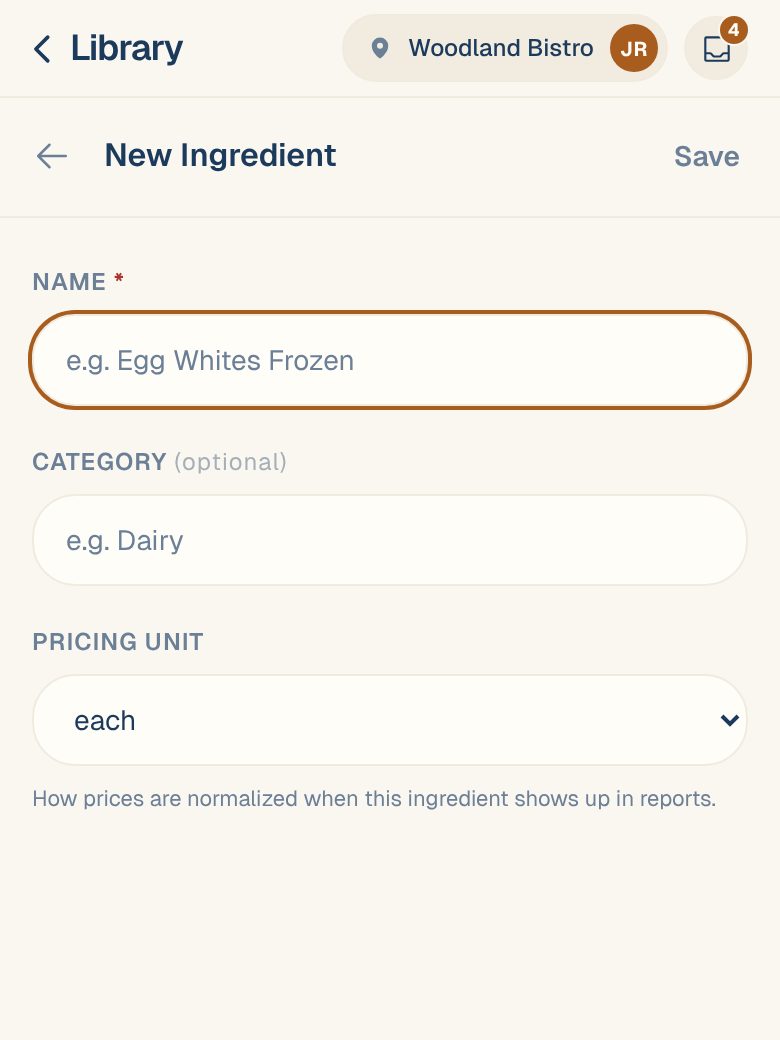
Enter the Name, the way your kitchen says it.
-
Pick a Category (optional), such as Produce or Dairy & Eggs, or type your own.
-
Choose the Pricing unit: how prices will be compared, like lb, gal or each. See Choose an ingredient’s pricing unit.
-
Tap Save.
The ingredient opens. Until an invoice includes it, it shows No price history yet.
If the name matches one you already have, you’ll see ”…” already exists. Tap Open it to go to that one instead of making a duplicate.
How it gets a price
An ingredient gets a price from invoice lines linked to it. When the next invoice with this item comes in, check its line feeds this ingredient, and change it if it doesn’t. See Link a line to the right ingredient. From then on, every invoice for that product prices the ingredient on its own.
Other places to add one
- From a recipe. While adding ingredients, search for it and tap + Create ingredient ”…”. See Cost a recipe.
- From an invoice line. Tap the line, then Create, to make the ingredient and link the line in one go. See Link a line to the right ingredient.
Common questions
I don't see the New button.
You have Viewer access, which can look but not add. Ask an Owner or Admin to change your role.
Which category should I pick?
Whatever helps you find it. The filter pills along the top of the Ingredients list use them. The suggestions start with the usual ones, from Produce to Cleaning & Chemicals, and you can type your own.
I made a duplicate by mistake.
Merge it into the one you want to keep. Its recipe uses move across. See Merge duplicate ingredients.
Is the ingredient added at all my locations?
No. It’s added at the location you’re in. Each location keeps its own ingredients.