Set or change someone's pay
Give someone a raise, a salary or a different rate per role, and see exactly how it changes your labor cost before you save.
Also known as: raise · pay rate · wage change · hourly rate · promotion · salary change · override · wages · payroll
Maitaki costs each shift at the wage your timesheet sends. When that wage is wrong or missing, or someone is on a salary, you can set their pay in Maitaki instead. This is called an override: it replaces the timesheet wage for costing from the date you choose, and never changes anything in your timesheet system.
Add a pay change
-
From the Dashboard, tap the Labor card header, then the Roster tab.
-
Tap the person.
-
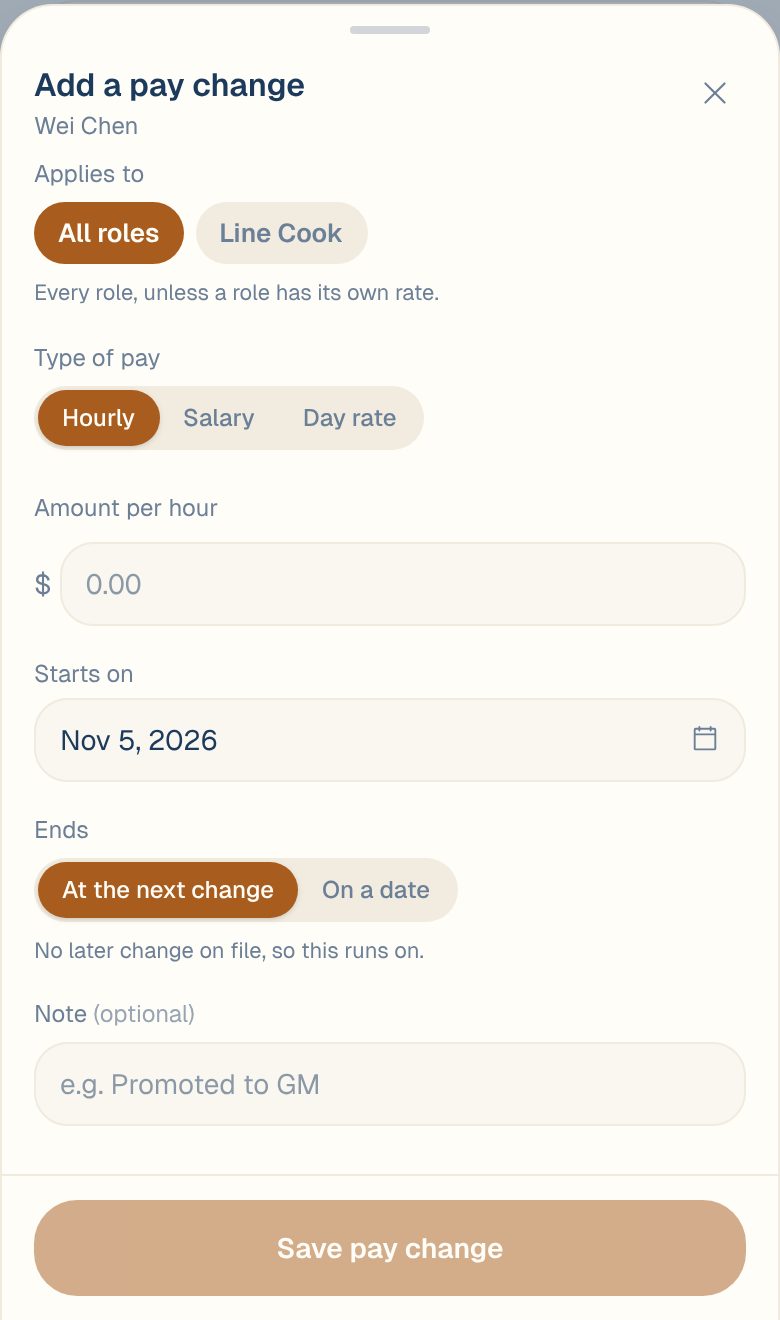
Under Pay history, tap Add a pay change. For someone who works more than one role, the button is Override a rate; see Someone who works two jobs.
-
Choose the Type of pay: Hourly, Salary or Day rate.
-
Enter the Amount. For a salary, also choose Per: year, month, semi-monthly, 2 weeks or week.
-
Set Starts on. It can be in the past.
-
Leave Ends on At the next change, unless the rate is temporary.
-
Add a Note if it helps, like Promoted to sous chef.
-
Check What this changes, then tap Save pay change.
What this changes shows how many shifts get re-priced and how much your labor cost moves, before anything is saved. A change dated in the past re-costs those days; you’ll see Updating labor costs… while it runs, and you can leave the page.
How each type of pay is costed
| Type | How it counts in labor cost |
|---|---|
| Hourly | Every hour worked. With Pay overtime premium on, overtime costs 1.5× and double time 2×; see Turn the overtime premium on or off. |
| Salary | Spread across the days of each pay period, and marked Est. |
| Day rate | The full amount on each day they clock in |
Setting a payroll period makes salaries line up with how you actually pay people, and it’s needed for bonuses. See Set your payroll period and How salaries and day rates are costed.
Someone who works two jobs
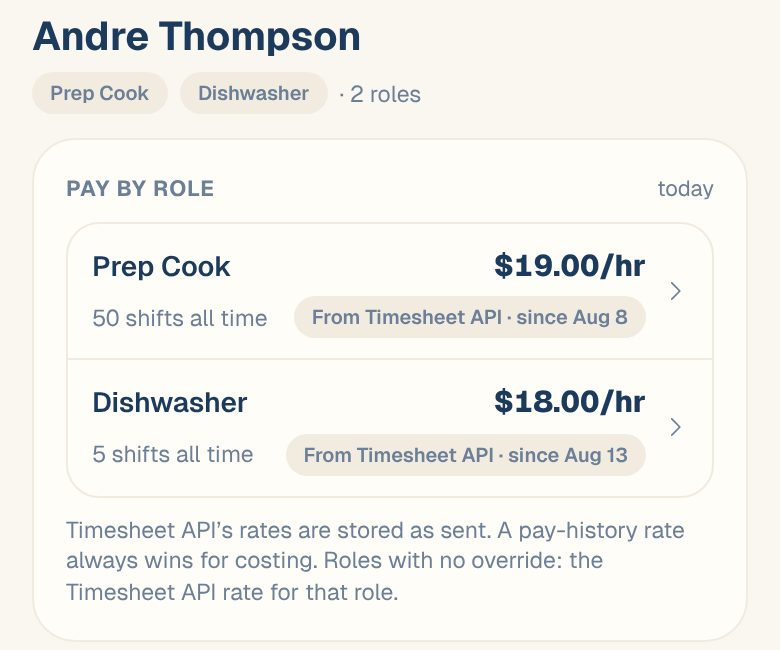
If a person clocks in under more than one role, like server and bartender, their page shows Pay by role and Pay history by role. Tap Override a rate to give one role its own rate, or choose All roles under Applies to to set one rate for everything.
Common questions
Who can see pay?
Only Managers, Admins and Owners. Members and Viewers see Only managers can see pay at this location.
I made a mistake. How do I undo a pay change?
Tap the period in Pay history, then Delete this period… and Delete. Labor cost goes back to what it was before.
What does the dashed amount on someone's pay mean?
That’s the wage your timesheet source sends. Maitaki uses it whenever no pay is set in Maitaki.
How do I add a regular bonus?
On the same page, under Recurring bonus, tap Add a bonus. It’s added on top of their pay every pay period. See Add a recurring bonus.