Current price and price history
The price Maitaki uses, how it's changed, and which vendor is cheapest.
Also known as: cost history · last price · price trend · price went up · price chart · price graph · what did i pay · previous price · price over time
Each ingredient has its own page with what you pay now, every price you’ve paid before, and what each vendor charges. Use it to see how a price has moved, and to check where a number in a recipe came from.
Tap Library. It opens on the Ingredients tab. Tap the ingredient, or search for it first.
The current price
The card at the top shows the Current Price per pricing unit, like $3.38 / lb, and what you paid as billed underneath, like $135.01 / case purchased. On the right are the invoice date and number it came from.
| You’ll see | What it means |
|---|---|
| Red card, +$0.05 (1.5%) vs previous | It went up since the purchase before. |
| Green card, −$0.05 (1.5%) vs previous | It went down. |
| No change vs previous | Same price as last time. |
| Guide quote: $3.30/lb | What the vendor’s latest order guide says they’d charge today. |
For how Maitaki chooses this price, and what it skips, see Which price Maitaki uses for costing.
Compare vendors
Vendors & products lists every vendor you’ve bought it from, cheapest first, each with their best price per unit. Primary marks the vendor the current price came from. Under each vendor are their products, with their SKU and pack.
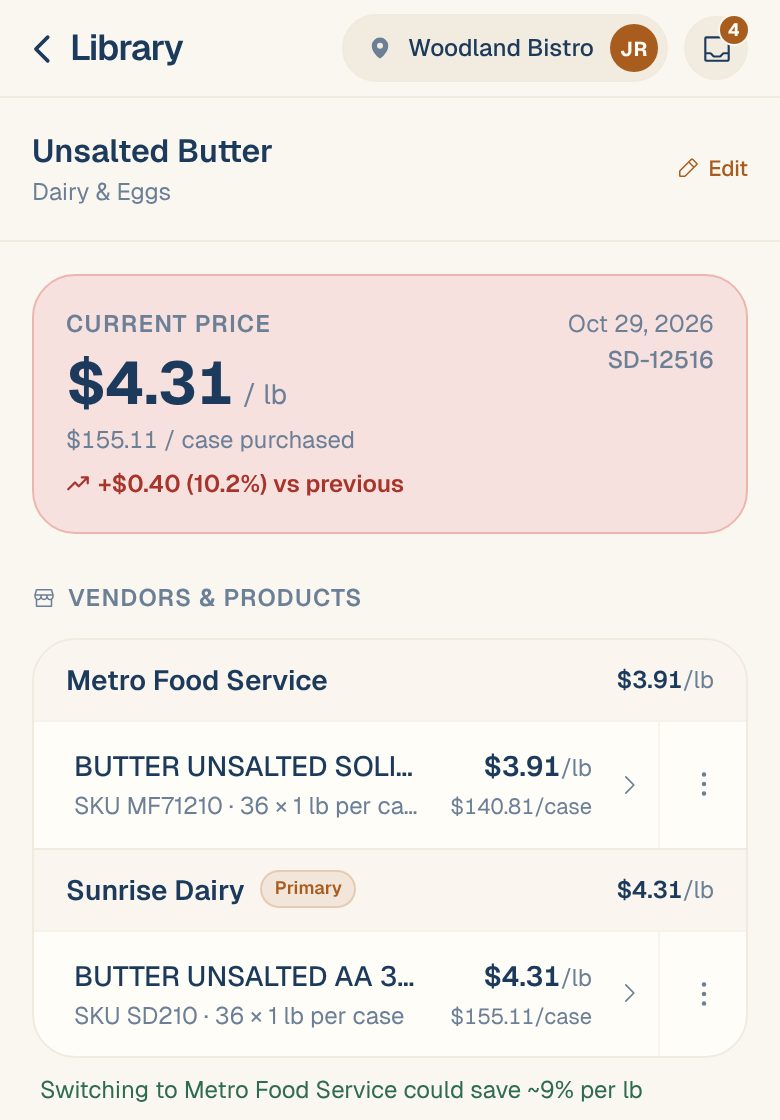
When another vendor is cheaper than your primary one, you’ll see a line like Switching to Metro Food Service could save ~9% per lb. See Compare prices across vendors.
Read the price history
Under Price History is a chart, once there are at least two prices to compare.
- The chip at the top shows how much the price moved over the period, like ▲ 2.0%, and the dates it covers.
- Tap $ or % to see prices in dollars or as a change from the start.
- Tap 1M, 3M, 6M, 1Y or All to change the period.
- Tap a point to see its price, date and vendor. Drag sideways to move through time. When you buy from more than one vendor, each has its own color.
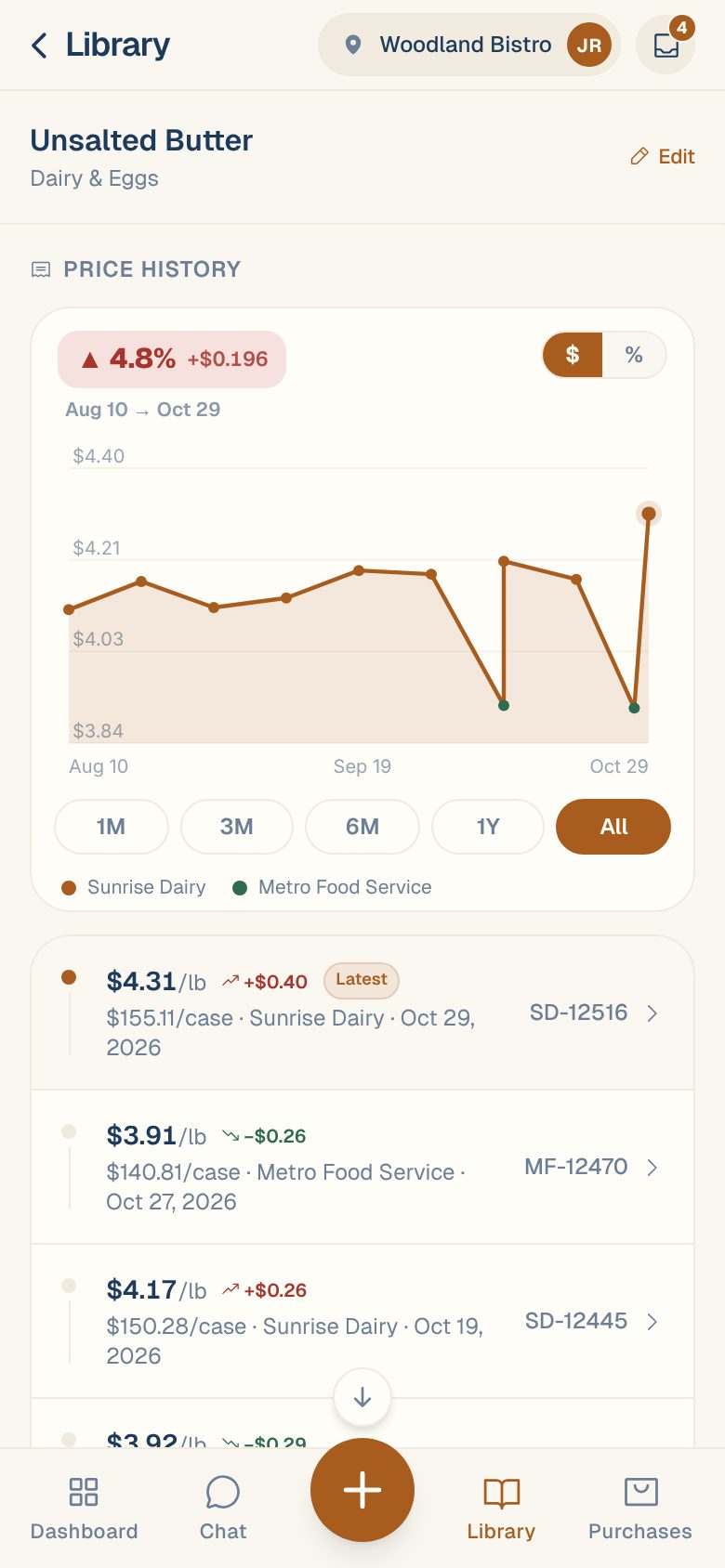
Below the chart, every purchase is listed newest first, with what you paid as billed, the vendor and the invoice date. The newest is tagged Latest. Tap one to open its invoice.
| Tag on a price | What it means |
|---|---|
| needs pack | It couldn’t be converted to the pricing unit, so it doesn’t count yet. See Set a product’s pack size. |
| check price | It looks wrong, so it isn’t used. Tap it to fix it on the invoice. See Handle “Price looks off”. |
See which recipes it affects
At the bottom, Used in N recipes lists every recipe that uses the ingredient, and how much. A change in price here flows straight into those recipes’ costs.
Common questions
Can I see the history for one vendor's product only?
Yes. Under Vendors & products, tap the product. Its page has its own Current Price and Price History, and every invoice it appears on.
What are the hollow amber dots on the chart?
Prices Maitaki doesn’t trust yet, tagged needs pack or check price in the list. They’re shown off the line, marked !, and don’t count toward the trend or the current price.
How do I find the ingredients whose prices moved most?
On the Ingredients tab, tap Movers. See Price movers and top spend.