Read a day's sales
Open any day to see its total, where the money came from, and every transaction in it.
Also known as: daily sales · end of day · z report · x report · day breakdown · daily total · takings · shift report · eod · receipts list
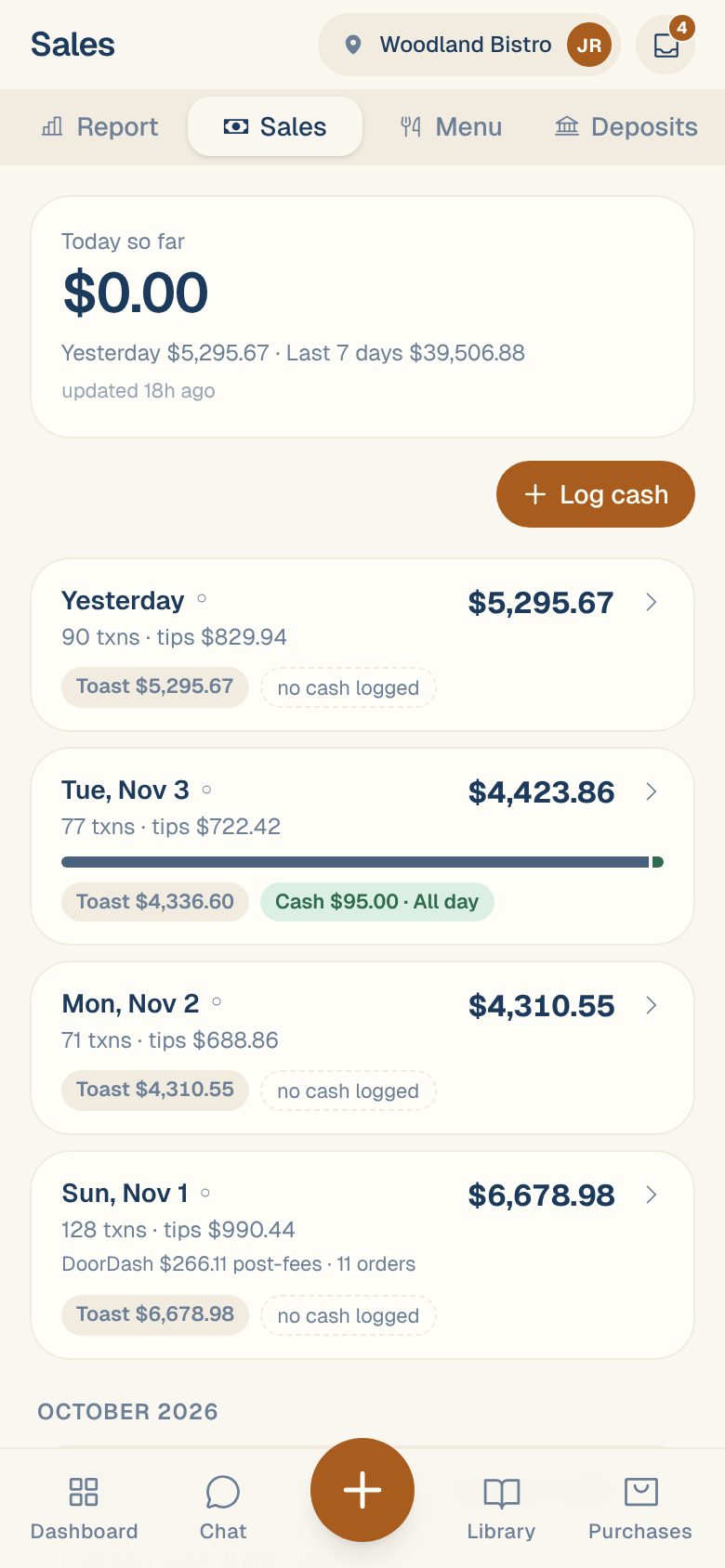
The Sales tab lists your days, newest first, with each day’s total. Tap a day to open it: the total, the systems it came from, and every receipt, charge and order behind it.
The day list
- Open Sales from your Dashboard (see Find your sales), then tap the Sales tab.
- At the top, Today so far shows today’s total, with Yesterday and Last 7 days under it. Tap it to open today.
- Below are the last 60 days, grouped by month. Each shows its number of transactions, tips, and total.
A small mark next to a day’s name tells you whether two systems agree on it:
| You’ll see | What it means |
|---|---|
| ✓ | Your POS and card terminal agree. |
| ⚠ | Your POS and card terminal disagree. Open the day to see why. |
| ○ | Only one system recorded this day, so there’s nothing to compare. |
If you log cash by hand, each day also shows your POS amount and Cash, or no cash logged. See Log cash sales.
Open a day
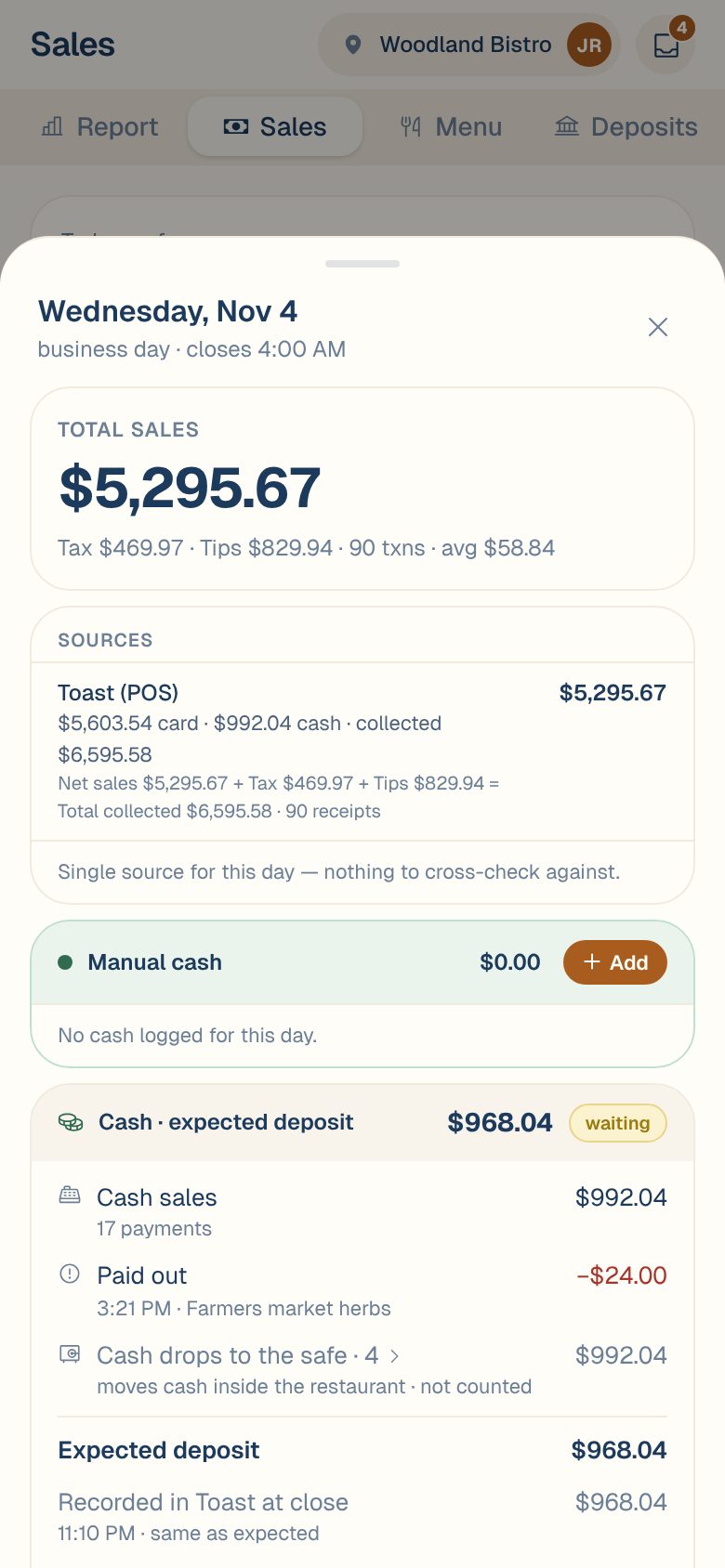
Tap any day. The top of the sheet says the date and business day · closes at your day-end time.
Total sales
The big number is the day’s Total sales: what you sold, after discounts and refunds, before tax and tips. Under it is the tax, tips, number of transactions and the average sale. If tax is marked Estimated tax, see How estimated tax works.
Sources
Each system that recorded the day gets a row:
- Your POS, for example Toast (POS), shows how the money came in (card, cash, and other payment types by name, like DoorDash) and what was collected. The line under it shows how that adds up: Net sales + Tax + Tips = Total collected. See Net sales vs total collected.
- Your card terminal, for example Valor (terminal), shows its card transactions and tips.
When a location has both a POS and a card terminal, a Card check follows. See Check your POS against your card terminal.
Transactions
Every receipt, charge and order is listed with its time, payment type and amount. Tap one to see what was on it. See Look up a transaction.
When two or more servers rang sales that day, a row of server names sits above the list. Tap a name to see only their sales, with their total, tips, and first and last sale.
Card attempts that were declined are listed at the bottom under Not counted. They’re greyed out and never added to the day.
Common questions
Why is a sale from 1:00 AM on yesterday?
Sales before your Day ends at time count toward the night before. See Set your business day and timezone.
The day's total doesn't match my POS's report.
Check your timezone and day-end time first. See My sales don’t match my POS.
Why is a day missing from the list?
If you had sales that day, your source may not have updated yet. See How often your sales update.