Track cash deposits
Turn on cash tracking to see how much cash each day should send to the bank, what's still on hand, and when it went in.
Also known as: cash float · till · drawer float · driver reimbursement · cash on hand · bank run · safe · cash bag · cash reconciliation · opening float · petty cash
Cash deposit tracking works out how much cash each day should send to the bank, keeps a running total of cash still on hand, and checks each bank slip against it. It’s off until a Manager turns it on for a location.
Turn it on
- Tap your location and avatar at the top right, then Settings.
- Tap the location, then Deposits under Connections.
- Turn on Track cash deposits.
- Check Track cash from. Cash on hand counts days from this date that don’t have a deposit slip yet. The first time, it’s set to 7 days ago. You can pick any day up to today.
- Type your Starting cash float: the cash that stays in the drawer every night.
- Type the last 4 digits of the bank account you deposit cash into, under Bank account · last 4. A slip for a different account asks before it’s saved.
- Tap Save changes.
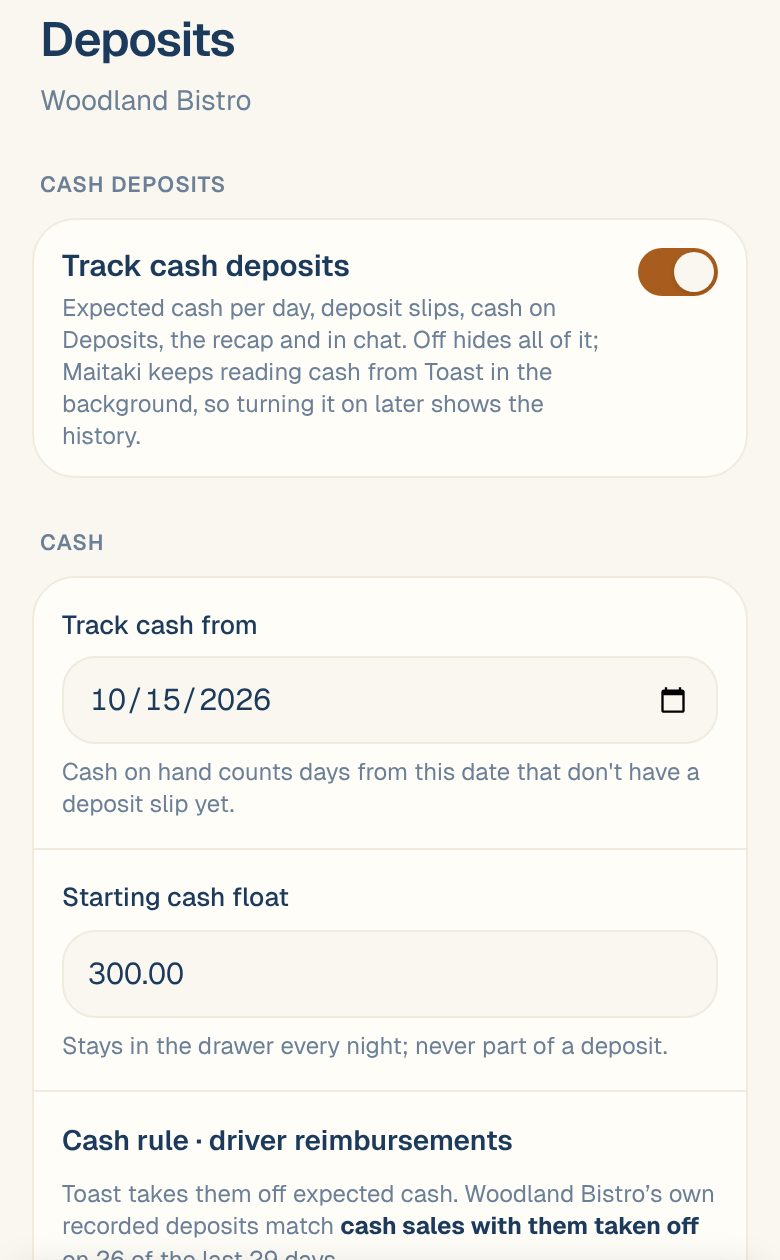
This switch is separate from Manual Cash Logging, which adds cash your POS doesn’t record to your sales. See Log cash sales.
Turning tracking off hides every cash screen. Maitaki keeps reading cash from your POS in the background, so when you turn it back on, your history is there.
Your float
The float is never part of a deposit. Maitaki leaves it out of expected cash. If you change the float, the difference goes on today’s expected cash. For example, raising it from $300.00 to $350.00 means $50.00 less to deposit today.
What expected cash is made of
For each day, Maitaki adds up:
- Cash sales: cash payments in your POS.
- Cash refunds, taken off.
- Logged cash, while Manual Cash Logging is on.
With Toast, Maitaki also reads your cash drawer and includes paid-ins, paid-outs, tips paid out in cash, close-out shortages and overages, and float changes. Cash drops to the safe are shown but not counted, because the cash is still in the building.
To see how a day adds up, open it from the Sales tab and scroll to Cash · expected deposit. For how this compares with what went in the bank, see Expected cash, short and over.
Driver reimbursements (Toast)
With Toast, the Cash rule · driver reimbursements setting says how you pay drivers back:
| Setting | Expected cash |
|---|---|
| Paid from driver cash | Reimbursements aren’t taken off. |
| Taken from the drawer | Reimbursements come off the day’s expected cash. |
Maitaki suggests one by comparing your recent days with the deposits Toast recorded. It’s saved as your rule when you change it.
Where you’ll see cash
| Where | What it shows |
|---|---|
| Deposits › Cash tab | Cash on hand, each day not deposited yet with what your POS counted, Add deposit slip, and your past slips. |
| Landing this week on Deposits | Cash on hand, placed on the next bank day. |
| Report tab | A Cash · should have received card: expected cash, what’s in the bank, and what’s still to deposit. Tap it to open the Cash tab. |
| A day on the Sales tab | Cash · expected deposit, with every line that makes it up. |
| Deposits card on your Dashboard | Cash on hand. |
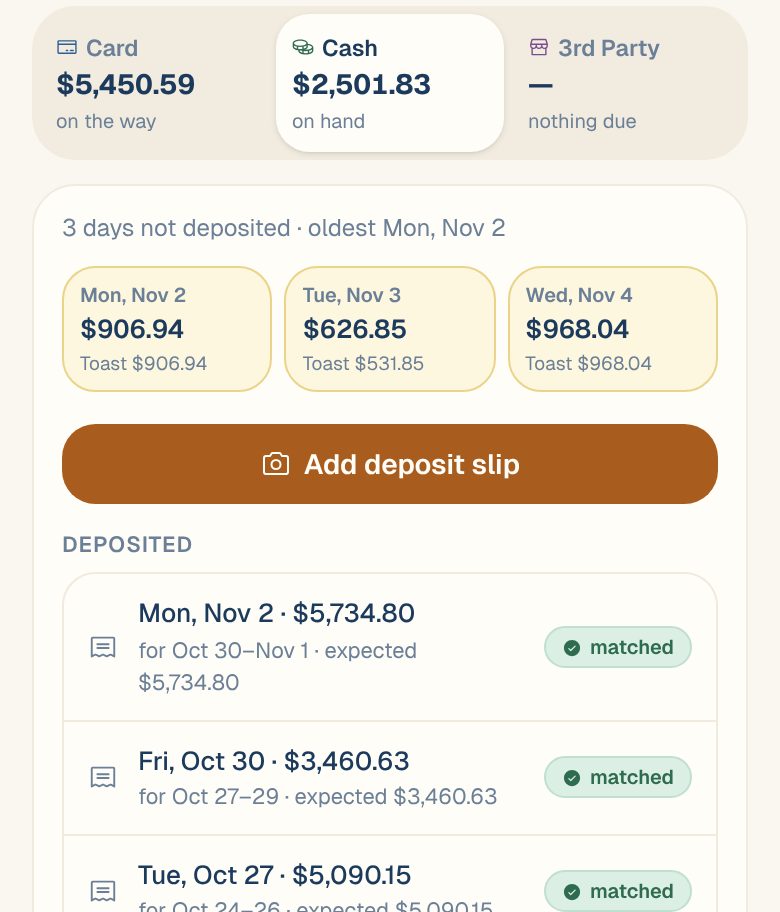
When you take cash to the bank, add the slip. See Add a deposit slip.
Common questions
Why does a day say before tracking?
It’s earlier than your Track cash from date, so it isn’t counted in cash on hand. You can still put it on a deposit slip. To include more days, a Manager can move the date earlier.
Who can change these settings?
Managers and above. Members and up can add deposit slips once tracking is on. See Roles: who can do what.
I use Clover or Loyverse. What's different?
Maitaki reads your cash sales and refunds, plus any cash you log. Drawer details like paid-outs, close-out shortages and driver reimbursements come from Toast only.