Find your way around
The tabs, the + button, the Inbox and the account menu, on phone and desktop.
Also known as: navigation · menu · tabs · home screen · plus button · sidebar · where is · desktop · layout · bottom bar · laptop · tablet
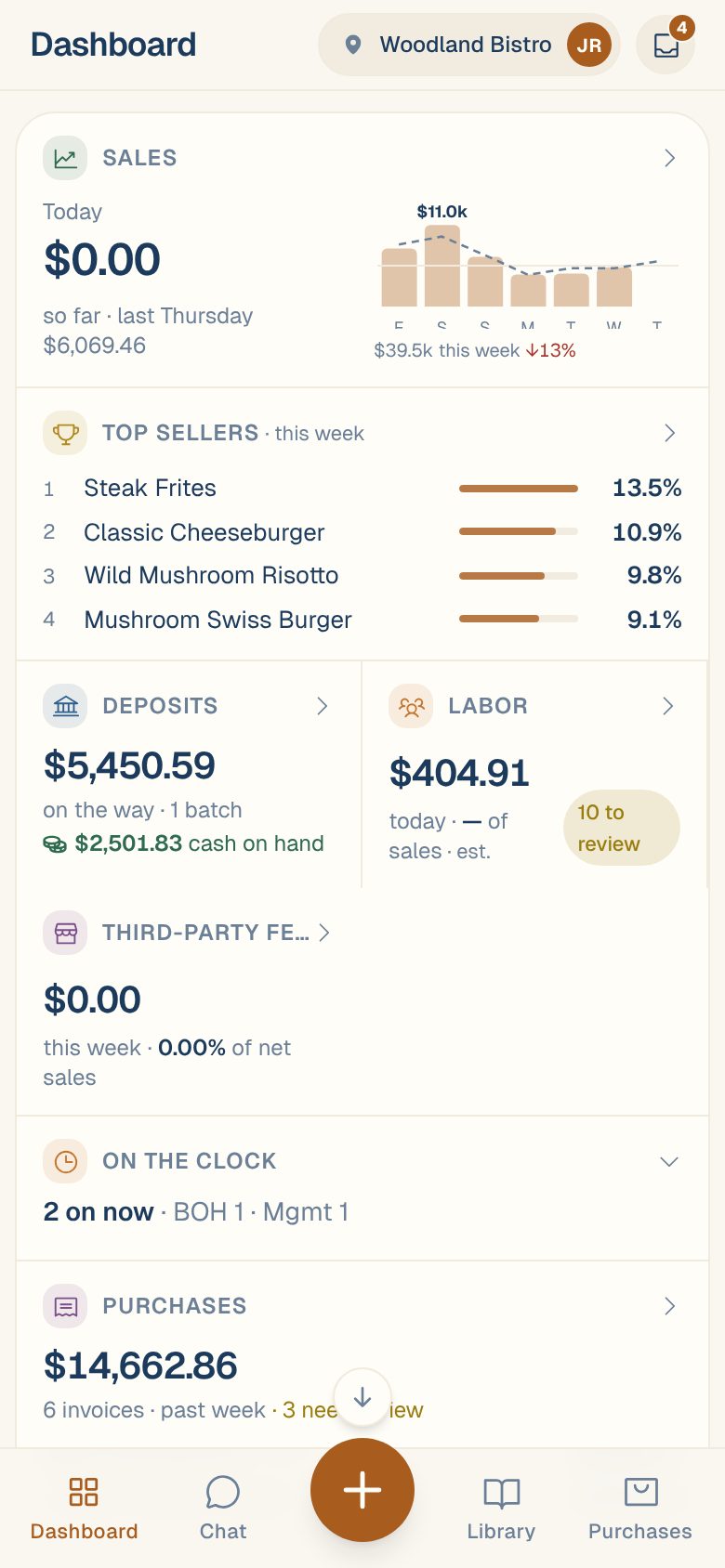
Maitaki has four main places, plus a button for adding things and an account menu. On a phone they sit along the bottom and top of the screen. On a computer they’re in a sidebar on the left.
On a phone
Along the bottom:
| Tab | What’s there |
|---|---|
| Dashboard | Today at a glance: sales, labor, purchases and more. See Your dashboard, card by card. |
| Chat | Ask Maitaki questions about your restaurant. See Ask Maitaki a question. |
| + | The round button in the middle. Adds an invoice, a menu and more. |
| Library | Your Ingredients, Recipes and Menus. |
| Purchases | Reports, Invoices, Vendors and Compare. |
Along the top:
- On the left, the name of the screen you’re on. On a screen you’ve tapped into, it has a back arrow. Tap it to go back.
- On the right, a pill with your location and your avatar. Tap it to open the account menu.
- Next to it, the round tray icon opens the Inbox. The number on it counts items that need you.
On a computer
The sidebar on the left has Dashboard, Chat, Library, Purchases and Inbox. Below them:
- New opens the same choices as the + button on a phone.
- Your name and current location, at the bottom, open the account menu.
On a computer there’s no back arrow in Maitaki. Use your browser’s back button.
Add something with +
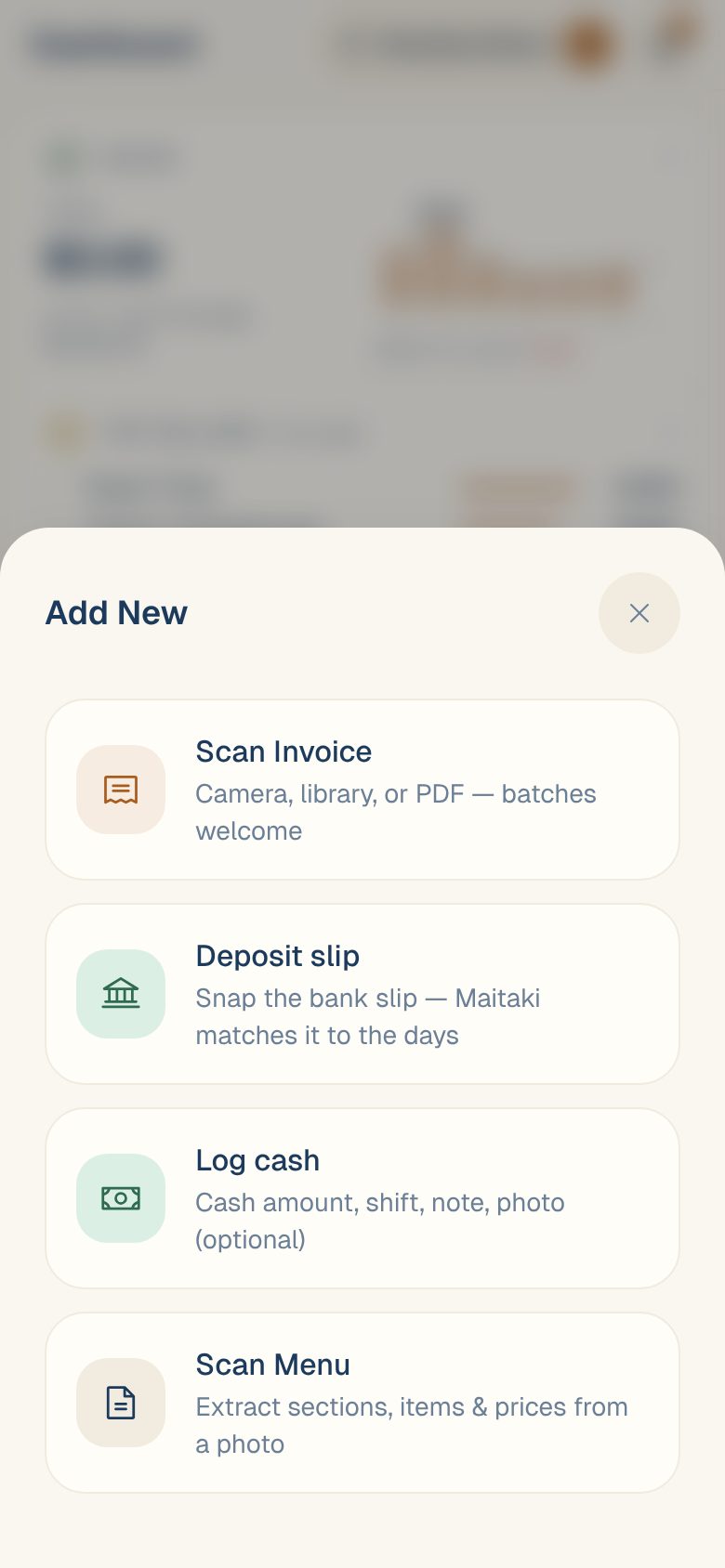
Tap + (or New on a computer) and pick:
| Choice | What it does |
|---|---|
| Scan Invoice | Photograph or upload invoices. See Photograph a delivery invoice. |
| Deposit slip | Snap a bank deposit slip. Only shows when cash deposit tracking is on. |
| Log cash | Record cash sales. Only shows when Manual Cash Logging is on. |
| Scan Menu | Read sections, items and prices from a photo of your menu. |
Don’t see the + button? You have Viewer access, which can look but not add. See Roles: who can do what.
The account menu
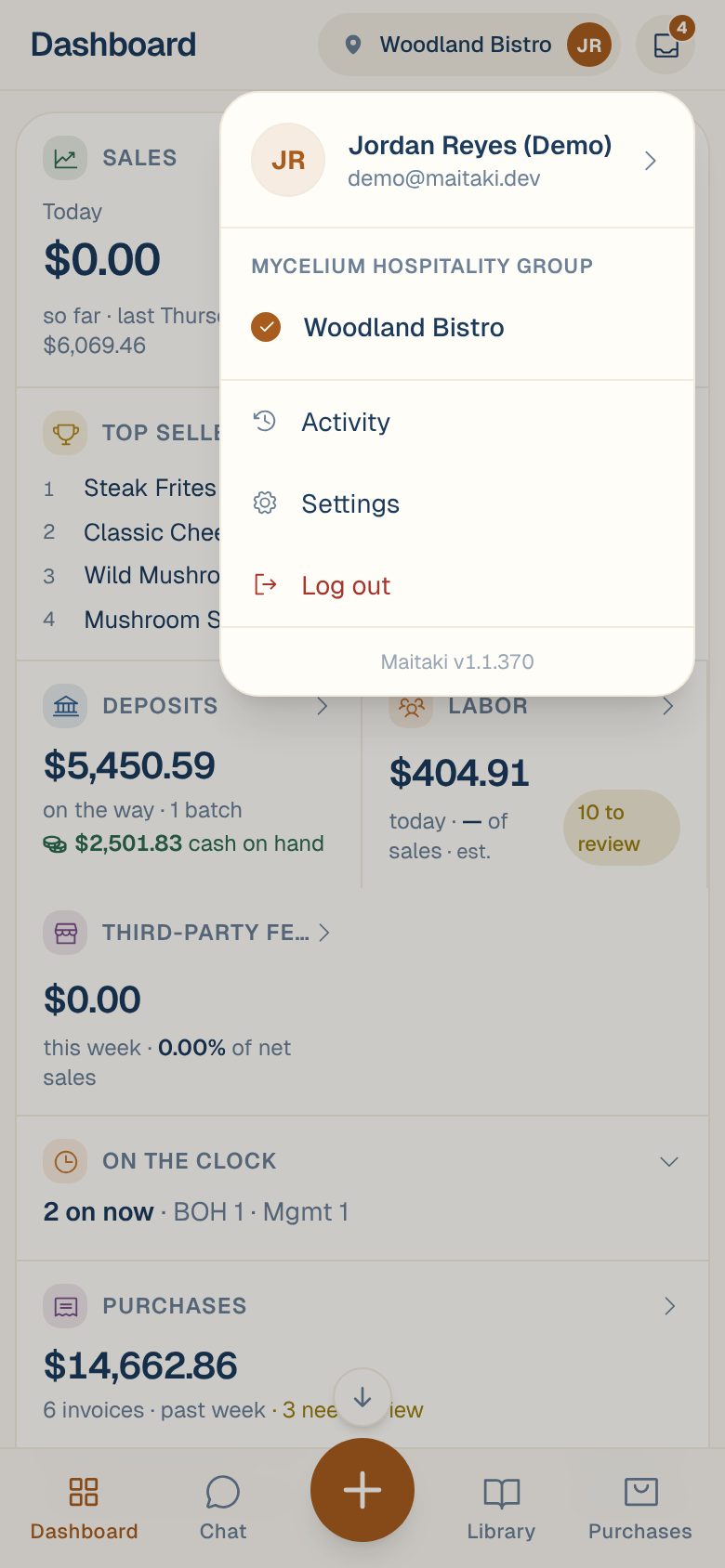
Open it from your location and avatar (top right on a phone) or your name (bottom left on a computer). It has:
- Your name and email. Tap to open your profile.
- Your locations. Tap one to switch. See Switch between locations.
- Activity, a log of what’s changed at this location. See See what changed in Activity.
- Settings, for your locations, team and connections.
- Log out.
- The app version, at the bottom. See Update the Maitaki app.
Common questions
Where are Sales and Labor?
They aren’t tabs. Tap the Sales or Labor card on the Dashboard. Each opens on its Report tab, with more tabs across the top. Labor is visible to Managers and up. See Find your sales and Open the Labor screens.
Where are Savings and Business Compliance?
Also on the Dashboard. Tap the Savings & Alerts or Business Compliance card.
Where's Settings?
In the account menu: tap your location and avatar at the top right on a phone, or your name at the bottom left on a computer, then Settings.