Export a timesheet
Download the Timesheet as a CSV file, one row per shift, for payroll or your accountant.
Also known as: download · spreadsheet · excel · payroll export · send to accountant · csv file · google sheets · numbers · save timesheet · hours export
You can download the Timesheet as a CSV file that opens in Excel, Google Sheets or Numbers. It has one row per shift, so you can hand it to your payroll provider or accountant, or do your own sums.
Download the file
- From the Dashboard, tap the Labor title, then the Timesheet tab.
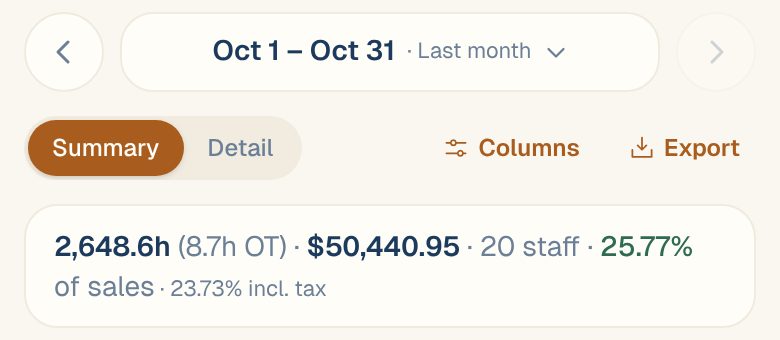
- Pick the dates at the top, like Payroll period or Last month. You can export up to 92 days at a time.
- Tap Export.
The file is named after the dates, like timesheet-2026-10-01-to-2026-10-31.csv.
Export shows once there’s something in the dates to export. In Detail, scroll the row of buttons sideways to reach it.
What’s in the file
One row per shift, plus a row for each day of salary or bonus that isn’t a shift, so the Cost column adds up to the total you see in Maitaki.
| Column | What it holds |
|---|---|
| Location | The location’s name |
| Date | The business day |
| Employee | The person’s name |
| Department | Their department that day. Only there once you’ve set up departments. |
| Job title | The role they worked |
| Type | Shift, Shift (open), Salary (not clocked in), Bonus or Not tied to a person |
| Clock in, Clock out | In the restaurant’s time |
| Regular hours, OT hours, Double-time hours | Hours, to two decimals |
| Rate | The hourly rate the shift was costed at, including any rate set in Maitaki |
| Cost | What the row cost, in dollars |
Shift (open) is a shift with no clock-out yet. Check those before you send the file. See Fix a missed clock-in or clock-out.
The file always has the same columns. What you’ve chosen under Columns, and whether you’re on Summary or Detail, only changes the screen.
Common questions
Can I export a whole year?
Not in one go. Export a quarter at a time and put the files together.
Is this the same as my payroll?
It’s what Maitaki costed from your timesheets. Salaries are spread across your pay periods, and pay set in Maitaki is used where you’ve set it. Your payroll provider may handle taxes, tips and deductions that aren’t in this file.
The file has a row I don't recognize: "Not tied to a person".
That’s labor cost Maitaki counted for the day that isn’t on any one person’s shift, salary or bonus row. It’s included so the file adds up to the total in Maitaki.