Create a menu
Start a menu, then add each dish from its recipe with its section and selling price.
Also known as: build menu · add dish · menu item · menu price · menu sections · new menu · dinner menu · lunch menu · price list · selling price
A menu in Maitaki is a list of dishes, each made from one of your recipes and sold at a price. Once your dishes are on a menu, you can see what each one earns.
Menus live in Library under Menus. Each dish on a menu is built from a recipe, so make the recipes first. See Cost a recipe.
Start the menu
-
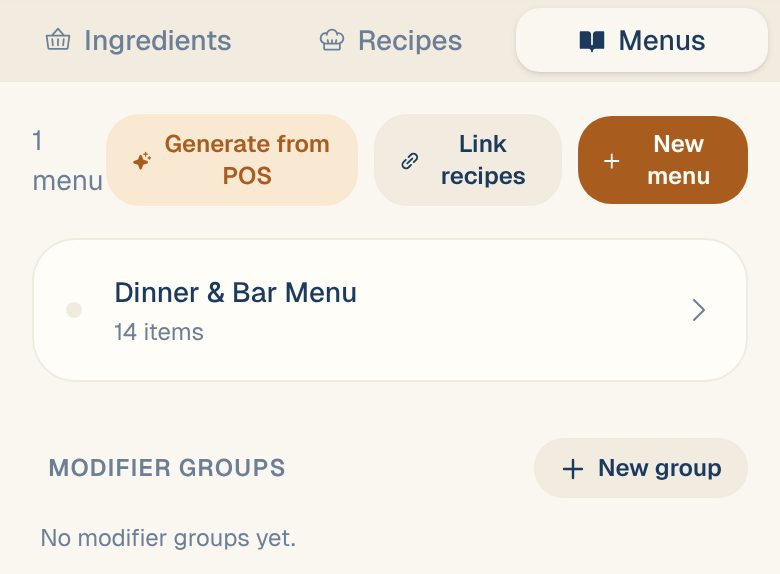
Tap Library, then the Menus tab.
-
Tap New menu.
-
Enter the Menu Title, for example Dinner Menu.
-
Tap Create Menu.
Add dishes
-
On the menu, tap Add item (or Add first item on an empty menu).
-
Pick the recipe. Search if the list is long.
-
Add any choices or add-ons the dish comes with, under Modifier Groups and Individual Modifiers. See Modifier groups and add-ons.
-
Choose the Menu Section: Starters, Soups, Mains, Desserts, Beverages, Sides or Specials.
-
Enter the Menu Price.
-
Tap Add to Menu.
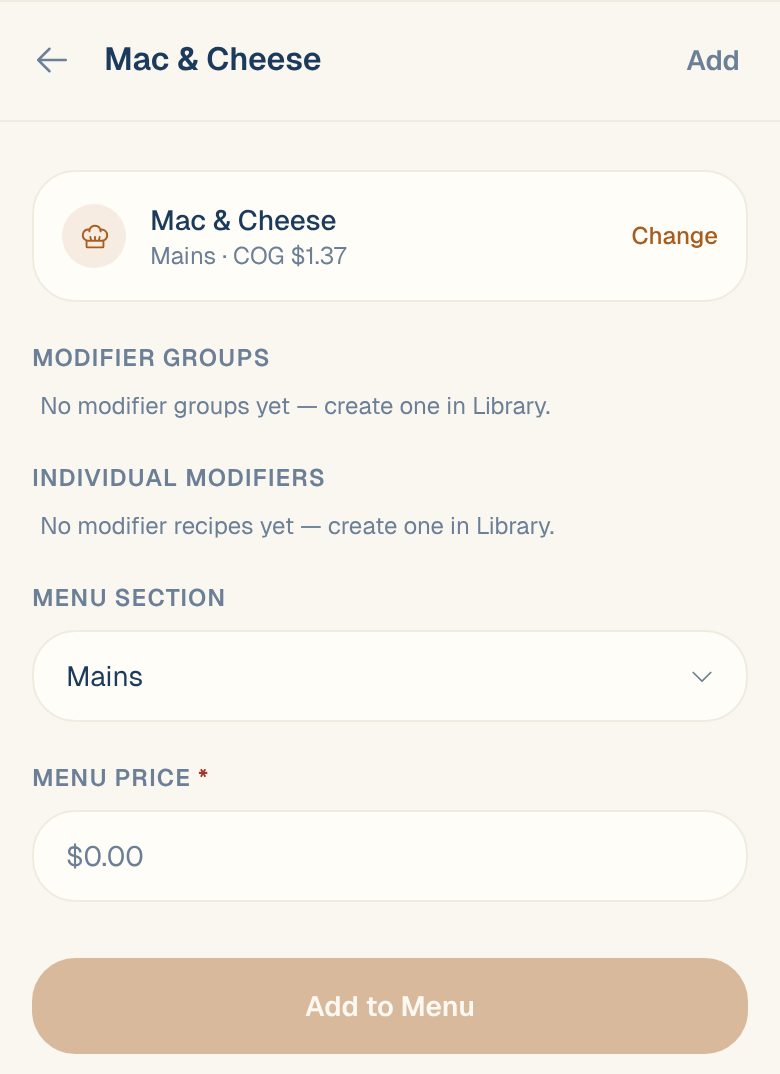
Repeat for each dish. Dishes are grouped by section on the menu. To take a dish off, tap the trash icon on its row.
The food cost % shown next to each price: support content coming soon. Email support@maitaki.ai and we’ll walk you through it.
Other ways to start a menu
| If you have | Do this |
|---|---|
| A printed or PDF menu | Scan a menu from a photo or PDF |
| A POS with a year of item sales | Build a menu from your POS sales |
Common questions
A recipe isn't in the list when I add a dish.
Recipes marked Modifier / Component and archived recipes don’t appear. Open the recipe, tap the pencil icon, turn off Modifier / Component and tap Done. For an archived one, see Archive or restore a recipe.
Where do I see the profit on each dish?
Tap the dish on the menu to see its price, food cost and margin. See Margin per dish.
I don't see New menu or Add item.
You have Viewer access, which can look but not change menus. Ask an Owner or Admin to change your role.