Set labor rules
Choose when a long shift or a short break gets flagged, where lunch ends and dinner begins, how salaries are spread, and how overtime is costed.
Also known as: break rules · meal break · long shift alert · compliance · thresholds · rest break · labour settings · timesheet rules · missed clock out
Labor rules are a handful of settings for each location. They decide which shifts get flagged on the timesheet, how the Labor report splits lunch and dinner, and how some pay is costed.
Change your labor rules
-
Open the account menu (your location and avatar, top right on a phone; bottom left on a computer) and tap Settings.
-
Tap your location, then Labor under Connections.
-
Scroll down to Labor rules and change what you need.
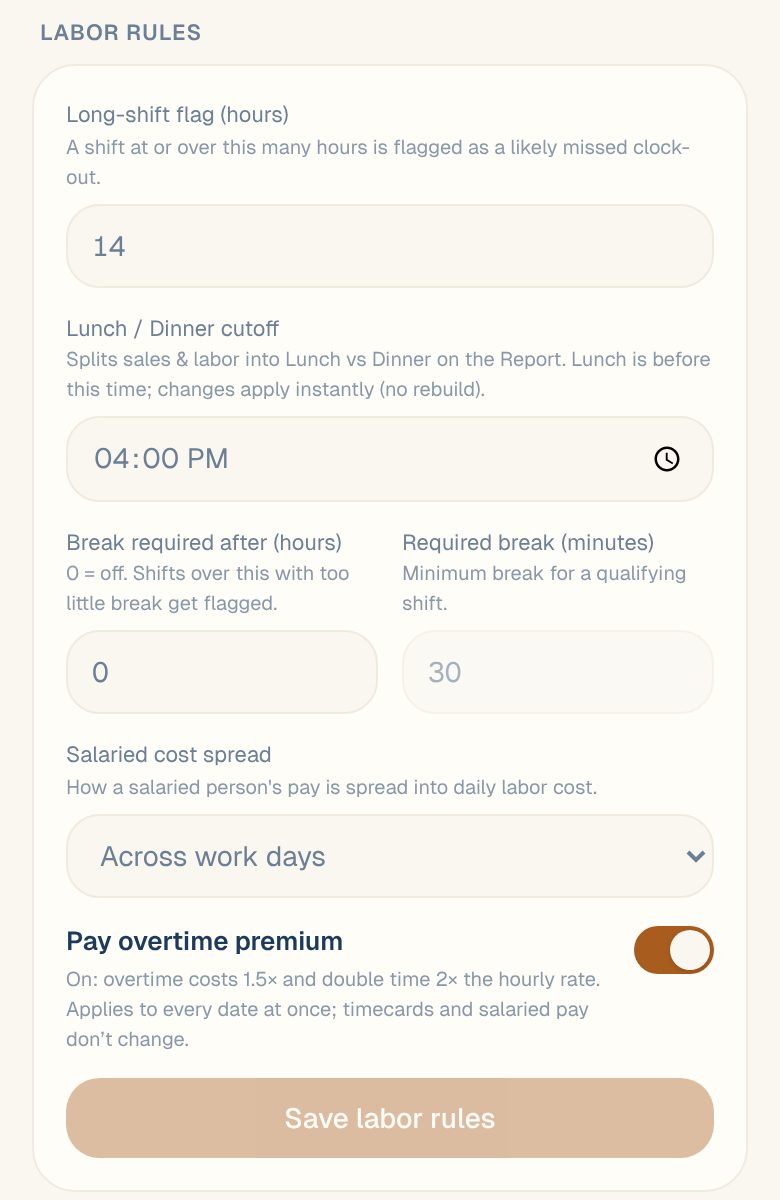
-
Tap Save labor rules. You’ll see Saved.
What each rule does
| Rule | What it does | Starts at |
|---|---|---|
| Long-shift flag (hours) | A shift at or over this many hours is flagged as a likely missed clock-out. | 14 |
| Lunch / Dinner cutoff | Splits sales and labor into Lunch and Dinner on the Report. Lunch is before this time. | 4:00 PM |
| Break required after (hours) | Shifts longer than this with too little break get flagged. 0 means off. | 0 (off) |
| Required break (minutes) | The shortest break a qualifying shift needs. Only used when the rule above is on. | 30 |
| Salaried cost spread | How a salaried person’s pay is spread into daily labor cost: Across work days, Across every day or Only days worked. | Across work days |
| Pay overtime premium | On: overtime costs 1.5× and double time 2×. Off: overtime costs the regular rate. | On |
Flagged shifts show on the timesheet. See Review timesheet flags and Fix a missed clock-in or clock-out.
For more on the lunch and dinner split, see Compare lunch and dinner labor. For overtime, see Turn the overtime premium on or off.
Common questions
Does changing the cutoff re-run my reports?
No rebuild is needed. The new lunch and dinner split applies straight away.
Do labor rules change anything in my time-tracking system?
No. They only change how Maitaki flags and costs shifts.
Who can change labor rules?
Managers, Admins and Owners. Everyone else can see them, but can’t change them.