Keep a vendor even when another is cheaper
Tell Maitaki you're staying, so it stops suggesting a switch.
Also known as: stay with vendor · preferred supplier · preferred vendor · ignore saving · loyalty · quality reason · keep with · dismiss suggestion · not switching
The cheapest price isn’t always the best deal. Better quality, the right delivery day, or keeping one order simple can be worth paying a little more. When you’ve decided to stay with your vendor for an ingredient, tell Compare, and it stops counting that ingredient in your saving.
Keep your vendor for an ingredient
-
Tap Purchases, then the Compare tab.
-
Tap the ingredient.
-
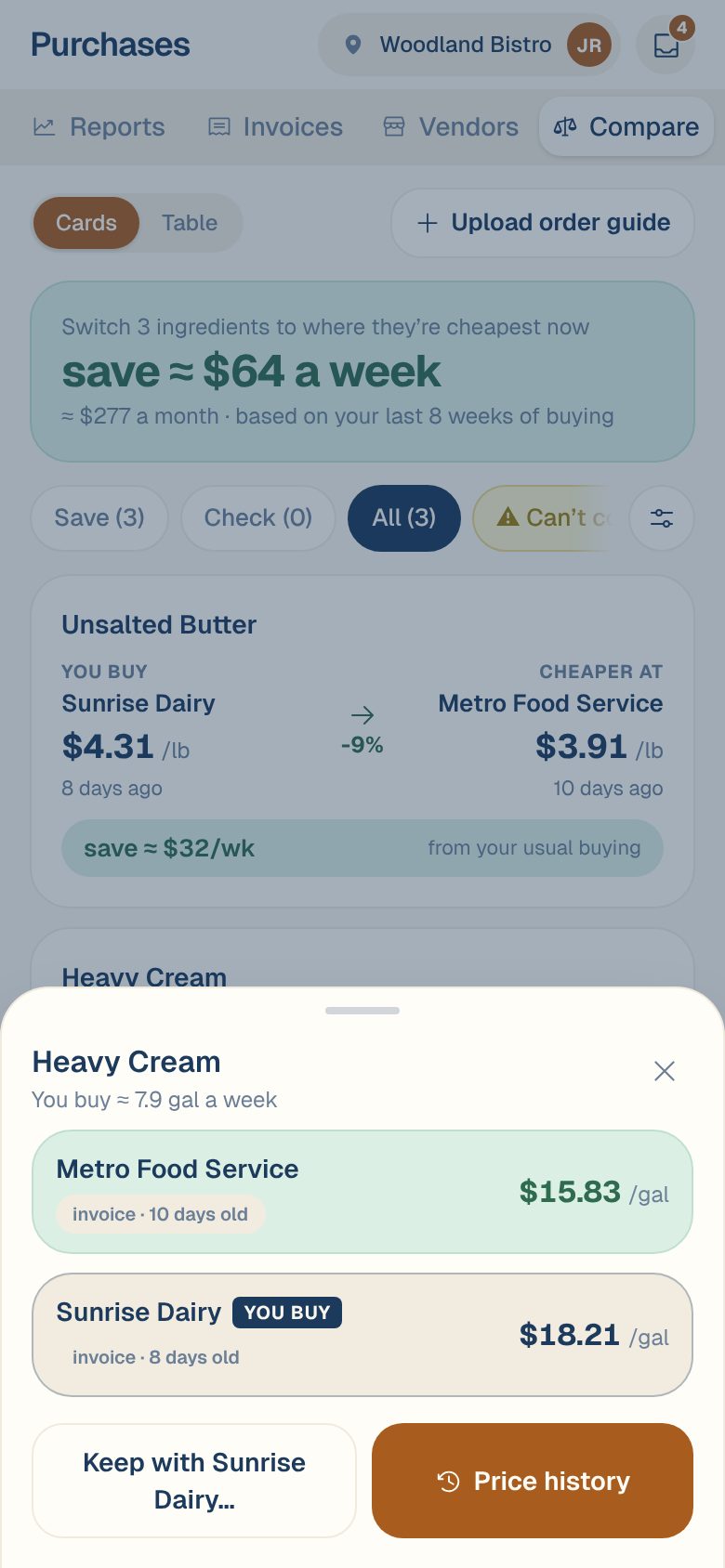
Tap Keep with your vendor, for example Keep with Sunrise Dairy….
-
Under Why stay with your vendor, add a reason if you like: quality, delivery days, same order. Your team will see it.
-
Tap Keep with your vendor.
You’ll see Kept with Sunrise Dairy. Its saving drops out of the total at the top of Compare, and in the Table view the ingredient says kept with your vendor. Tap the ingredient any time to see Kept with your vendor and the reason.
Change your mind
- Tap the ingredient in Compare.
- Next to Kept with your vendor, tap Undo.
You’ll see Back in the savings, and Compare counts it again.
Common questions
Does keeping a vendor hide the other vendor's price?
No. Every vendor’s price still shows when you tap the ingredient. Only the saving stops counting.
I don't see Keep with.
It only shows when another vendor is cheaper than the one you buy from. If you already buy at the best price, there’s nothing to keep.
Can I hide a vendor completely?
Yes, in Compare. Tap the sliders button, turn the vendor off under Vendors, then tap Show. Its prices leave the table, the cards and the saving. See Compare prices across vendors.