How estimated tax works
Why Maitaki takes tax out of card terminal and logged cash sales, and where you'll see the estimate.
Also known as: tax included · tax inclusive · tax backed out · valor tax · est tax · tax estimate · tax deducted · why are sales lower · sales went down
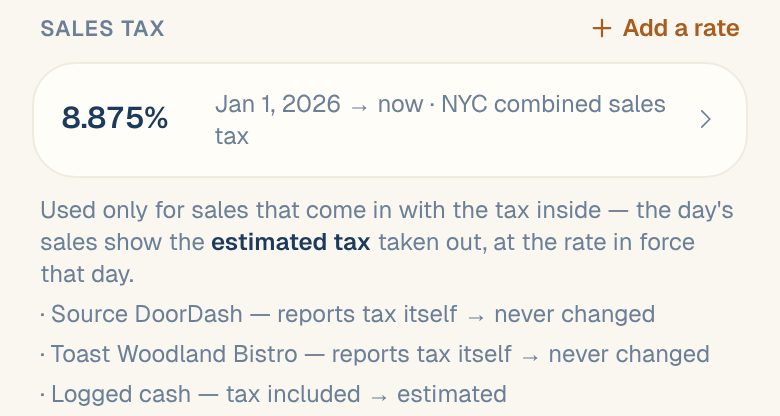
A card terminal charges the guest’s full amount, tax and all, and doesn’t say how much of it was tax. Cash you log in Maitaki is the same. To show your real sales, Maitaki takes the tax back out using your sales tax rate for that day. That’s the estimated tax.
Sales from Toast, Clover and Loyverse are never estimated. Those systems report their own tax.
How it’s worked out
Maitaki splits each amount into sales and tax with the rate in force that day:
tax = amount × rate ÷ (1 + rate)
For example, a $110.50 card charge at a 10.5% rate:
| Amount charged | $110.50 |
| Estimated tax | $10.50 |
| Net sales | $100.00 |
Tips are never part of the split. Your card and cash totals don’t change either: they’re still the money you collected.
Where you’ll see it
| Screen | What it says |
|---|---|
| A day on the Sales tab | Estimated tax with the rate, like Estimated tax $214.30 (10.5%) |
| The report summary | Estimated tax · 10.5%, or Tax (part estimated) when only some of it is estimated |
| Share of sales | The tax column is headed Tax · est. |
| A card charge | Includes ≈ estimated tax and the amount |
Common questions
Why did my sales go down after I added a tax rate?
Before the rate was set, the tax was counted as sales. Now it’s taken out, so net sales show what you really sold. Your labor % and food cost % get more accurate too.
The rate changed partway through the year.
Add the new rate with its start date. Each day uses the rate in force on that day. See Set your sales tax rate.
Is the estimate exact?
It’s exact when every sale is taxed at your rate. Items taxed at a different rate, or not taxed at all, make it slightly off. Your POS’s own tax is always exact.