Sign in and log out
Sign in with email or Google, and log out from the account menu.
Also known as: log in · login · logon · logout · sign off · sign out · exit · google login · gmail · signin
You sign in with the email and password you chose when you made your account, or with Google if that’s how you signed up. Maitaki keeps you signed in on that device until you log out.
Sign in
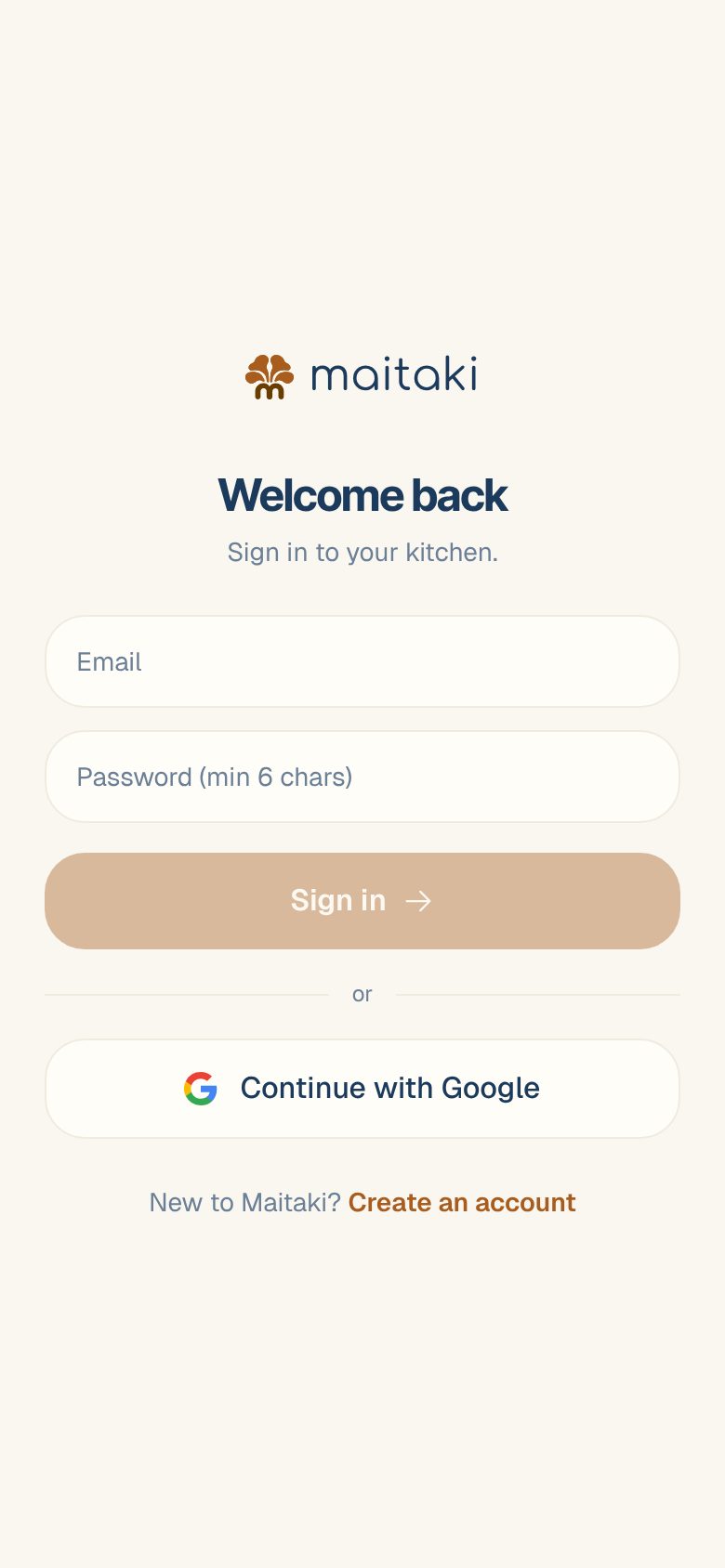
- Open Maitaki. On the welcome screen, tap Already have an account? Sign in.
- On Welcome back, enter your Email and password.
- Tap Sign in.
If you signed up with Google, tap Continue with Google instead and pick the same Google account.
Log out
- Open the account menu: tap your location and avatar at the top right on a phone, or your name at the bottom left on a computer.
- Tap Log out, at the bottom of the menu in red.
You go back to the Maitaki welcome screen. Log out on a shared phone or computer, such as the office PC, so the next person can’t see your restaurant’s numbers.
Forgot your password?
Support content coming soon. Email support@maitaki.ai and we’ll walk you through it.
See also I can’t sign in.
Common questions
It says "Invalid login credentials".
The email or password doesn’t match. Check for a typo in your email, and that caps lock is off. If you signed up with Google, use Continue with Google instead.
The Sign in button stays grey.
It turns on once you’ve entered an email and a password of at least 6 characters.
I don't have an account yet.
On the sign-in screen, tap New to Maitaki? Create an account. See Create your Maitaki account, or, if your restaurant already uses Maitaki, Join your team on Maitaki.
I signed in but I'm asked how I'm using Maitaki.
Your account isn’t part of a restaurant yet. If you’re joining a team, tap I’m joining a team and see Join your team on Maitaki.