Track permits, licenses and insurance
Keep every permit, license, certificate and policy in one list, with how long each has left before it expires.
Also known as: permits · liquor license · health permit · insurance certificate · expiry · licence · renewal · servsafe · inspection · fire permit · paperwork · expiration date
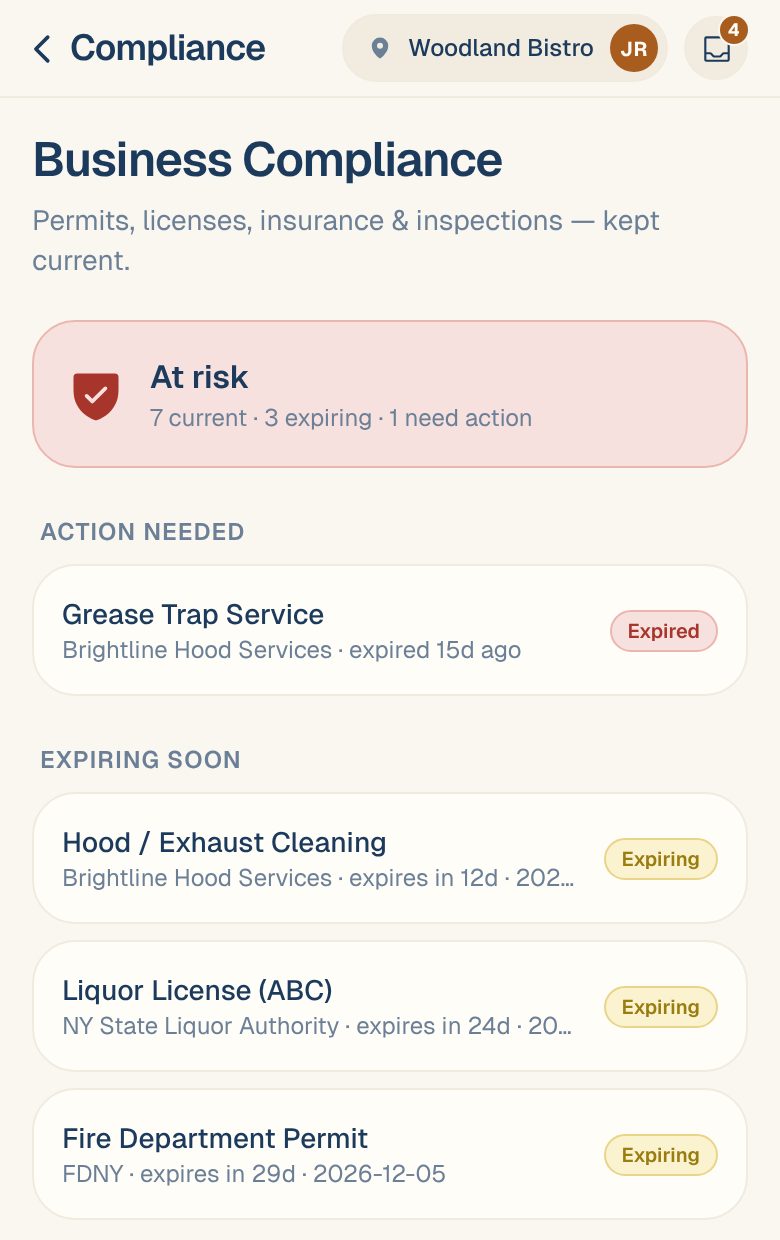
Business Compliance keeps your permits, licenses, insurance and inspections in one list for each location. It shows what’s current, what’s coming up for renewal, and what has already run out.
Everyone at the location can see the list. Members, Managers, Admins and the Owner can add and update items.
Open it
On your Dashboard, tap the Business Compliance card. It sums up where you stand: Good standing, Renewals due soon or Needs attention.
At the top of the page, a banner says how the location is doing:
| You’ll see | What it means |
|---|---|
| Good standing | Everything with an expiry date is current. |
| Needs attention | Something expires soon. |
| At risk | Something has expired, or is missing its expiry date. |
| Not set up | Nothing added yet. |
Items are grouped under Action needed, Expiring soon, Current and On file. Each one shows who issued it and how long it has left, like expires in 24d. An item is Expiring when its date is close, usually within 60 days.
Add an item
- Tap the round + button at the bottom right, or Add your first item if the list is empty.
- Fill it in one of three ways:
- Tap Scan a document and photograph the permit, license or certificate. Maitaki fills in the name, issuer, number and dates. Check the fields it filled.
- Tap one of the common items, like Health / Food Service Permit or Liquor License (ABC), to fill in the name, category and how often it renews.
- Type it in yourself.
- Check the Name, Category, Issuer and Reference / license #.
- If it has to be renewed, keep Recurring (renews) on, and set the Expiry date and how often it Renews every (months). Turn it off for something that never expires and stays on file, like a certificate of occupancy.
- Add a Renewal portal (URL) and Notes if they help.
- Tap Add item.
Renew an item
When you’ve renewed a permit or policy:
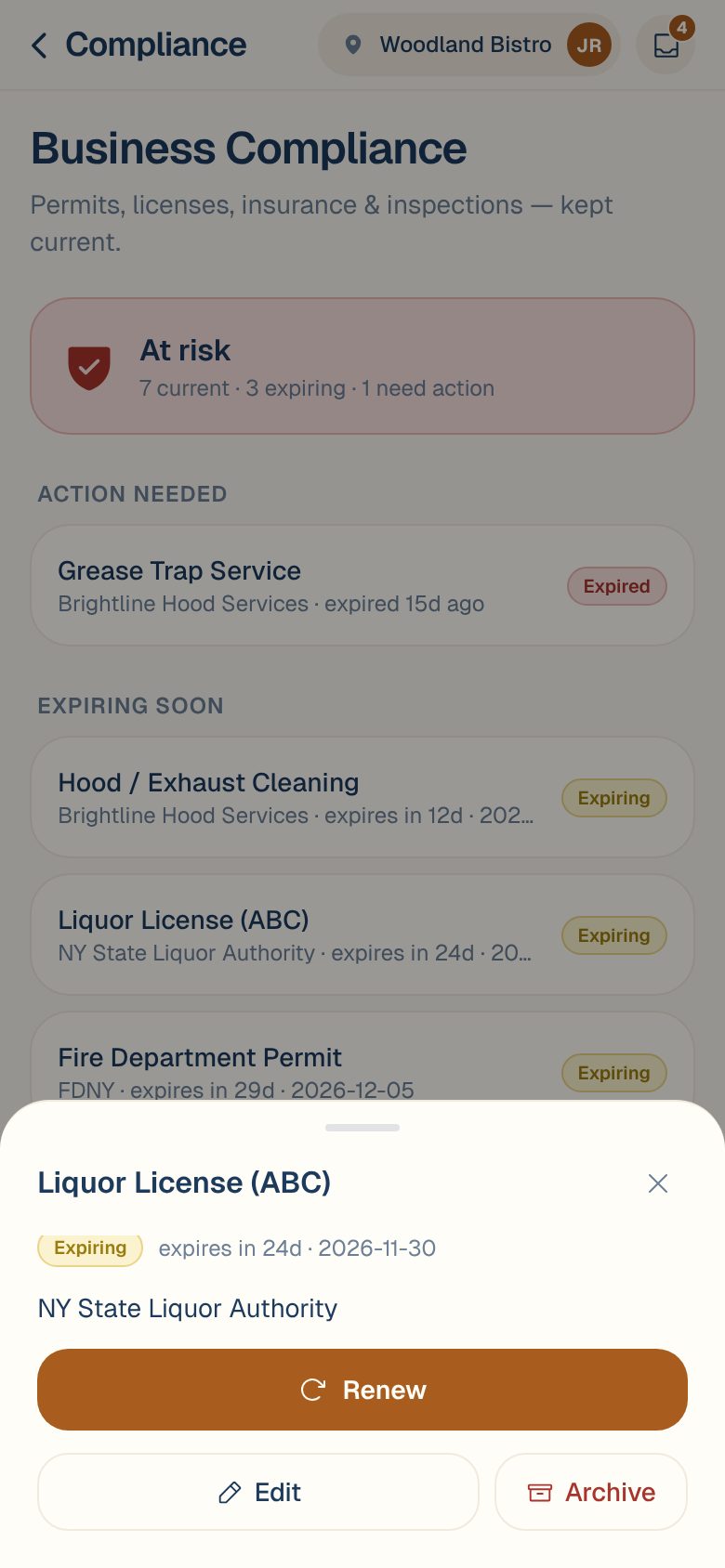
- Tap the item.
- Tap Renew.
- Pick the New expiry date.
- Tap Save renewal.
It moves back to Current.
Edit or archive an item
Tap the item, then Edit to change any detail, or Archive to take it off the list. Tap a reference number in an item to copy it.
Archived items can’t be brought back from the app. If you archive one by mistake, email support@maitaki.ai, or add it again.
Common questions
Will Maitaki remind me before something expires?
Not by message. Keep an eye on the Business Compliance card on your Dashboard, which changes to Renewals due soon when something is coming up.
Is this list shared between my locations?
No. Each location has its own list. Switch location to see another one. See Switch between locations.
An item says "Add date".
It renews but has no expiry date yet, so Maitaki can’t tell if it’s current. Tap it, then Edit, and add the Expiry date.