Find your sales
Sales opens from your Dashboard. Inside are four tabs: Report, Sales, Menu and Deposits.
Also known as: where are sales · revenue page · takings · sales tab · turnover · income · money in · sales page missing · how much did we make
Sales isn’t one of the tabs at the bottom of the screen. You get there from the cards on your Dashboard, and once you’re in, four tabs along the top take you around.
Open Sales from the Dashboard
- Tap Dashboard.
- Tap the Sales title at the top of the Sales card. It opens the Report tab.
Other Dashboard cards open Sales too:
| Card | Opens |
|---|---|
| Sales | Report |
| Third-party fees | Report |
| Top sellers and Profit leaders | Menu |
| Deposits | Deposits |
The four tabs
| Tab | What’s on it |
|---|---|
| Report | Totals for any dates: sales, tips, food cost %, labor %, payments, and how this period compares with the last. See Use the sales report. |
| Sales | Today so far, then each day with its total. Tap a day for every transaction. See Read a day’s sales. |
| Menu | What sold and what each dish earns. See Link POS items to your menu and Profit per dish and margin alerts. |
| Deposits | Card money on its way to the bank, and cash deposits. See Track card deposits. |
Everything you see is for the location shown at the top right. To see another one, switch locations.
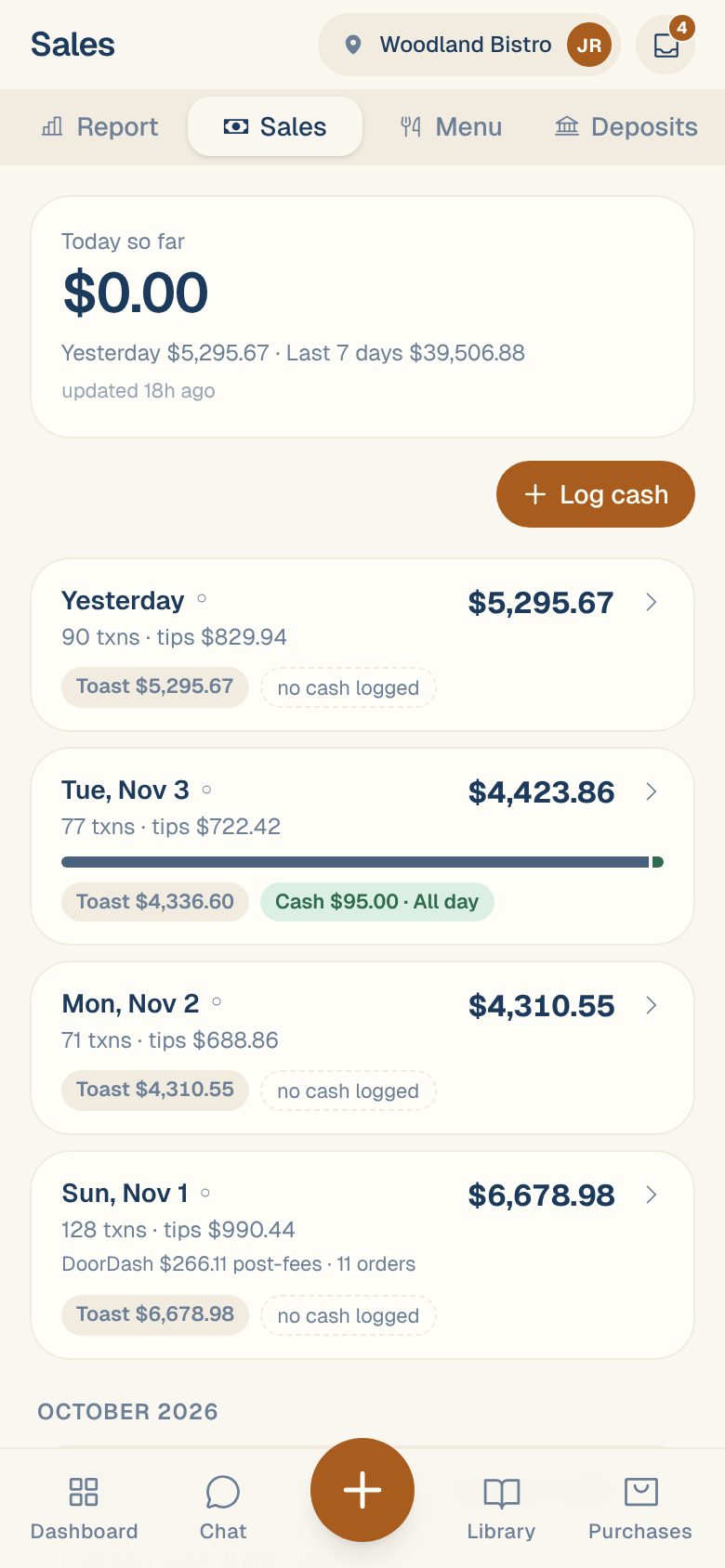
What you’ll see before anything is connected
Until a POS or card terminal is connected, the Dashboard’s Sales card says no income source is connected, and Sales shows No income sources connected here yet. A Manager can connect one in Settings › your location › Sales:
- Connect your Toast POS
- Connect your Clover POS
- Connect your Loyverse POS
- Connect a Valor card terminal
Common questions
What does the Dashboard's Sales card show?
Today so far, compared with the same weekday last week, and a small chart of the past days. Before the evening, the comparison stays grey and reads so far, so a quiet morning isn’t judged against a full day.
Can everyone on my team see sales?
Yes, everyone with access to the location can open Sales. Connecting sources and changing sales settings needs a Manager or above. See Roles: who can do what.
Can I use Square?
No. Maitaki connects to Toast, Clover, Loyverse and Valor.