Duplicate invoices
Already on file vs Might be a copy, and what to do with each.
Also known as: double counted · same invoice twice · dupe · copy · possible dup · uploaded twice · possible duplicate · sent twice · counted twice · already have it · double entry · repeat invoice
The same invoice often reaches Maitaki more than once: photographed at the back door, then emailed by the vendor, then included in a monthly batch. Maitaki watches for this so an invoice is only ever counted once.
There are three things you might see, depending on how sure Maitaki is.
| You’ll see | What it means | What to do |
|---|---|---|
| Already uploaded — skipped a duplicate of file name | You uploaded the exact same file again through Scan Invoice. It was skipped before reading. | Nothing. |
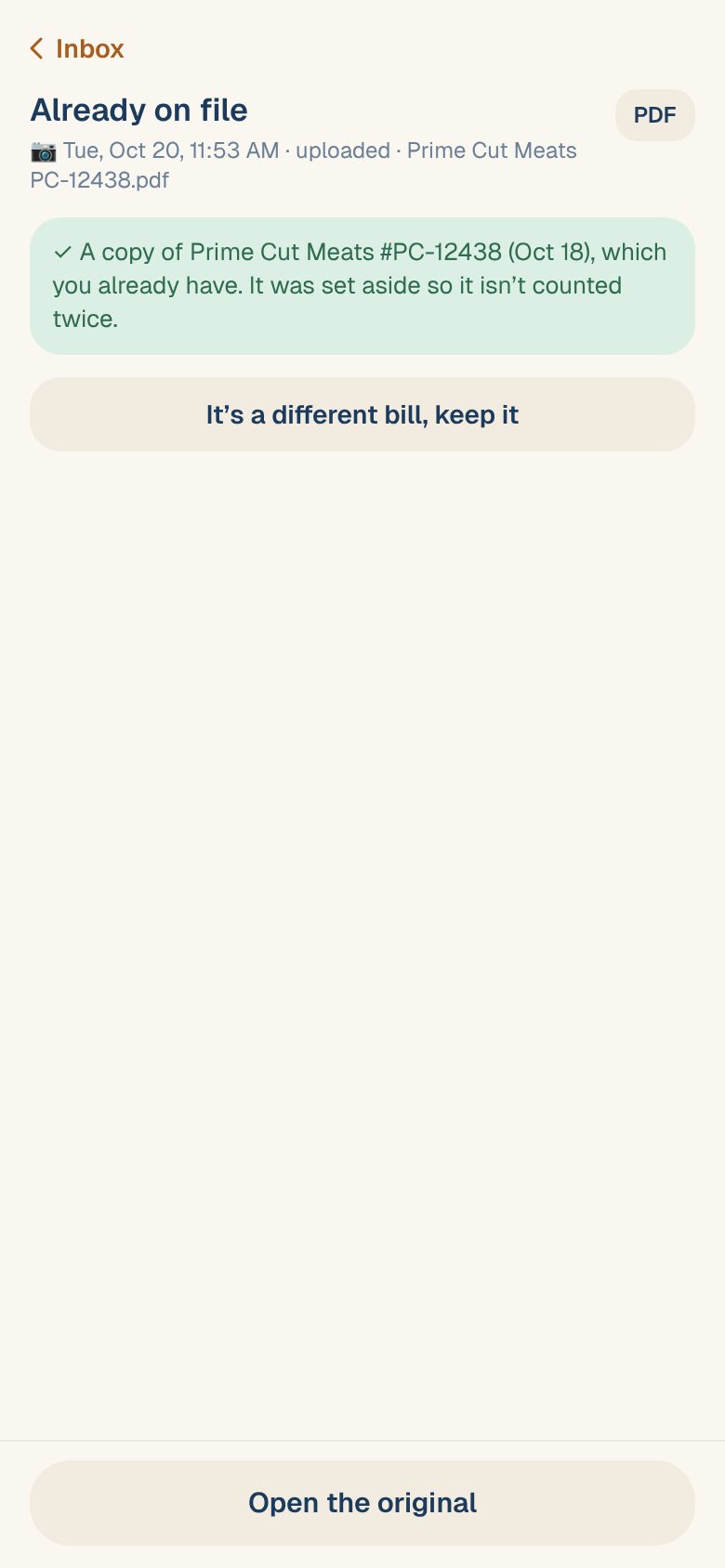
| Already on file | Same vendor, same invoice number, same total as one you have. It was set aside and doesn’t count. | Nothing, unless the vendor really billed you twice. |
| Might be a copy | It looks like one you have, but something differs. It’s held back and doesn’t count until you decide. | Compare the two and choose. |
Decide on “Might be a copy”
An invoice is held as a possible copy when it has the same vendor as one you already have and either the same invoice number, or the same date and total.
- In the Inbox, tap the card marked Might be a copy.
- Compare This one with On file: the number, date and total side by side. Tap Open the one on file › to see the original in full.
- Choose one:
- Same invoice sets this copy aside. It won’t count.
- Different bill keeps both. This one goes on to review like any other invoice.
- Tap Save.
Not sure? Tap PDF at the top to open this one, then compare it with the one on file. Two deliveries on the same day from the same vendor often have different invoice numbers.
From the invoice page
A possible copy also shows a Possible dup badge in Purchases → Invoices, and a Possible duplicate banner at the top of the invoice. It can’t be verified until someone decides.
- If it’s a different bill, tap Not a duplicate — verify anyway. You can then verify it as usual.
- If it’s the same bill, a Manager, Admin or Owner can tap Edit, then Delete invoice. See Re-open or delete an invoice.
- Tap View in the banner to open the one already on file.
Keep an invoice marked “Already on file”
Very occasionally a vendor bills you twice with the same invoice number and total. If that’s really what happened:
- Open the card marked Already on file in the Inbox.
- Tap It’s a different bill, keep it.
- Read the note and tap Keep it.
It goes on to review, and counts once you verify it. If you only want to see the original, tap Open the original.
Copies inside a big PDF
When a PDF holding many invoices includes some you already have, the file’s screen sorts them for you:
- Copies lists the possible copies, each with Different bill and Same invoice.
- Done shows how many were already on file. To clear them out of the Inbox, tap the button that reads, for example, Dismiss the 3 copies from the Inbox. They stay under All.
See Work through a file of many invoices.
Common questions
Does a possible copy count in my spend while I decide?
No. It’s held aside until you choose, so it never counts twice. Once you choose Different bill, it’s treated like any other invoice.
I have an order confirmation and the invoice for the same delivery.
That’s expected. The order confirmation is kept but never counted, so only the invoice counts. See Why order confirmations don’t count.
I chose the wrong option.
If you set a copy aside by mistake, find it under Skipped in the Inbox, open it and tap Restore to Inbox. See Restore something you skipped.