Turn the overtime premium on or off
Cost overtime at time and a half and double time, or at the regular hourly rate if that's how you actually pay it.
Also known as: ot · time and a half · 1.5x · double time · straight time · overtime rate · 1x rate · ot premium · overtime cost
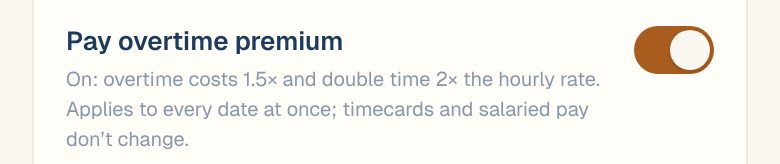
By default, Maitaki costs overtime at 1.5× the hourly rate and double time at 2×. If you don’t pay a premium for overtime, turn it off so your labor cost matches what you pay. The overtime hours themselves come from your timesheet either way.
Change the setting
-
Open the account menu (your location and avatar, top right on a phone; bottom left on a computer) and tap Settings.
-
Tap your location, then Labor under Connections.
-
Scroll down to Labor rules and tap the Pay overtime premium switch.
-
Tap Save labor rules.
What on and off mean
| Setting | Overtime is costed at | You’ll see |
|---|---|---|
| On | 1.5× the hourly rate, and 2× for double time | Overtime as usual |
| Off | The regular hourly rate (1×) | Overtime hours still show as OT, with an OT at 1X Rate pill next to labor totals |
With it off, the OT at 1X Rate pill appears on the Dashboard labor card, the Labor report, the labor % trend, Timesheet totals and digest images, so everyone knows how the cost was worked out.
Good to know
- It applies to every date at once, past and future. Flipping it re-prices your whole history.
- Timecards don’t change. The hours and wages from your timesheet stay as they are; only Maitaki’s costing changes.
- Salaries, day rates and bonuses don’t change. It only affects hourly overtime.
Common questions
Where does Maitaki get overtime hours from?
From your timesheet: Toast or your time-tracking system says which hours are overtime, and Maitaki doesn’t work it out itself. Shifts uploaded from a CSV file come in as regular hours, so they have no overtime to cost.
Who can change it?
Managers, Admins and Owners.