Organise recipes with categories
Group recipes the way your kitchen thinks about them, then filter the list with one tap.
Also known as: recipe groups · organize recipes · folders · tags · sort recipes · filter recipes · recipe type · rename category
Categories sort your recipes into groups like Mains, Desserts or Prep. Each one becomes a filter at the top of the Recipes tab. They’re only for organizing recipes and are separate from the sections on your menus.
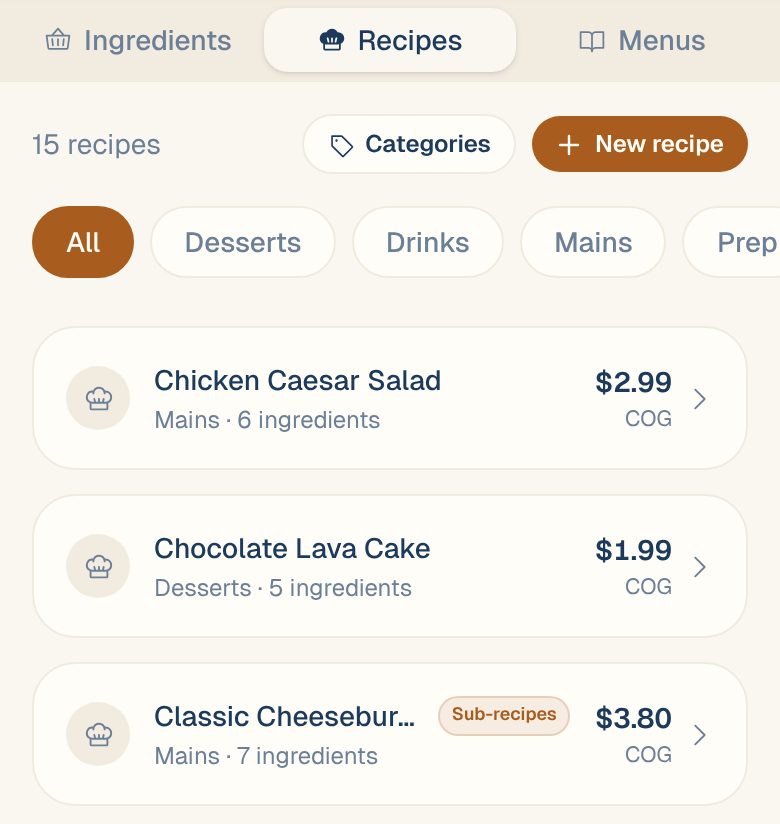
Filter your recipes
Tap Library, then the Recipes tab. Tap a category under the buttons to see only those recipes, or All to see everything. Swipe the row sideways to see more.
Add categories
-
On the Recipes tab, tap Categories.
-
Type a name in New category name… and tap +.
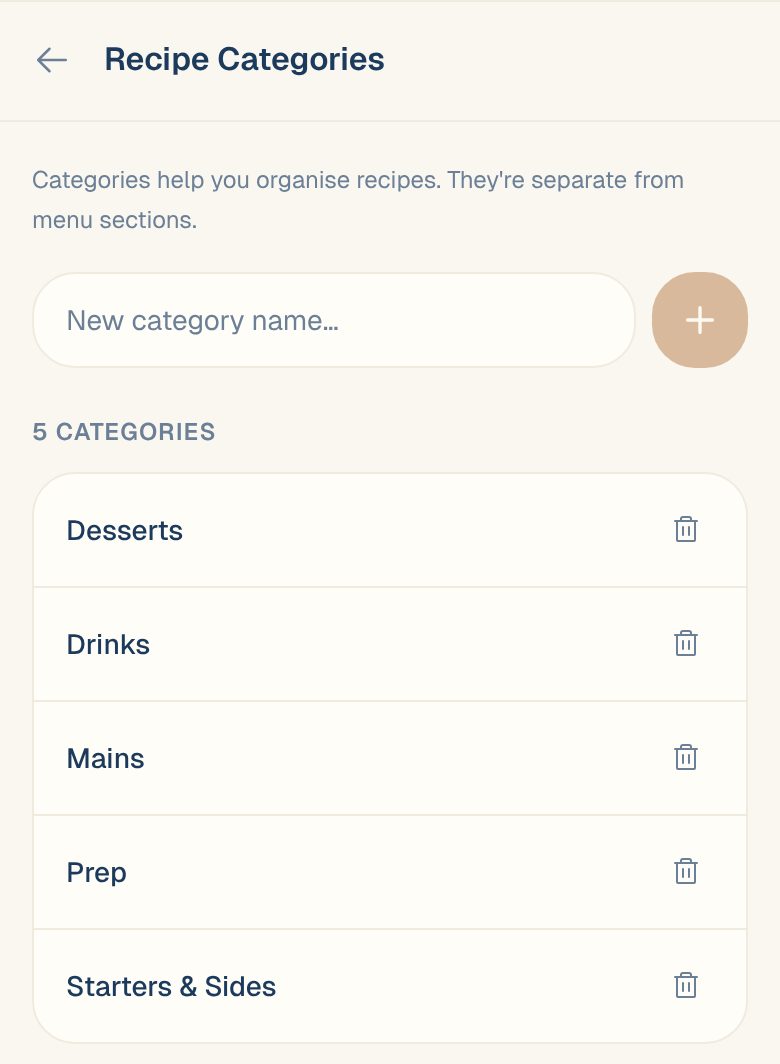
You can also make one while choosing a category for a recipe: pick + New category… at the bottom of the list, type the name and tap the tick.
Put a recipe in a category
- New recipe: pick it under Category before you tap Create & Edit Recipe.
- Existing recipe: open it, tap the pencil icon, change Category, and tap Done.
The category shows as a tag next to the recipe’s name.
Remove a category
On the Recipe Categories screen, tap the trash icon next to it. Only Managers, Admins and Owners can do this.
Recipes already in it keep their category tag, but it no longer appears as a filter. Move them to another category if you want them filtered.
Common questions
Can I rename a category?
Not directly. Add a category with the new name, move the recipes into it, then remove the old one.
Does a category decide where a dish goes on my menu?
It gives it a head start. When you add a dish to a menu, a recipe in Desserts, Mains, Starters, Soups, Sides, Beverages or Specials starts in the menu section with the same name. You can change it there. See Create a menu.