Remove someone
Take away someone's access to one location, or to your whole organization.
Also known as: delete user · remove employee · revoke access · offboard · staff left · fire · quit · deactivate user · kick out · take off
When someone leaves, remove them so they can’t open Maitaki for your restaurant any more. Owners and Admins can remove anyone they’re allowed to change. A Manager can remove people who only have access to their location.
Everything they added, like invoices they uploaded, stays where it is.
Remove someone from the whole organization (Owner or Admin)
- Open the account menu (your location and avatar, top right on a phone; bottom left on a computer) and tap Settings.
- Tap Members, then tap the person.
- Tap Remove from organization.
- Maitaki asks: Remove name from the organization? They lose access to every location. Tap Remove, or Keep to stop.
You’ll see Removed from the organization. Admins can’t remove another Admin or the Owner; only the Owner can.
Take away one location (Owner or Admin)
- In Members, tap the person.
- Under Locations, tap Only these.
- Set the location they should lose to No access, and keep a role on the ones they should keep.
- Tap Save access.
Remove someone from your location (Manager)
- Go to Settings, tap your location, then Team at this location.
- Under Only this location, tap the person.
- Tap Remove from your location.
- Maitaki asks you to confirm. Tap Remove.
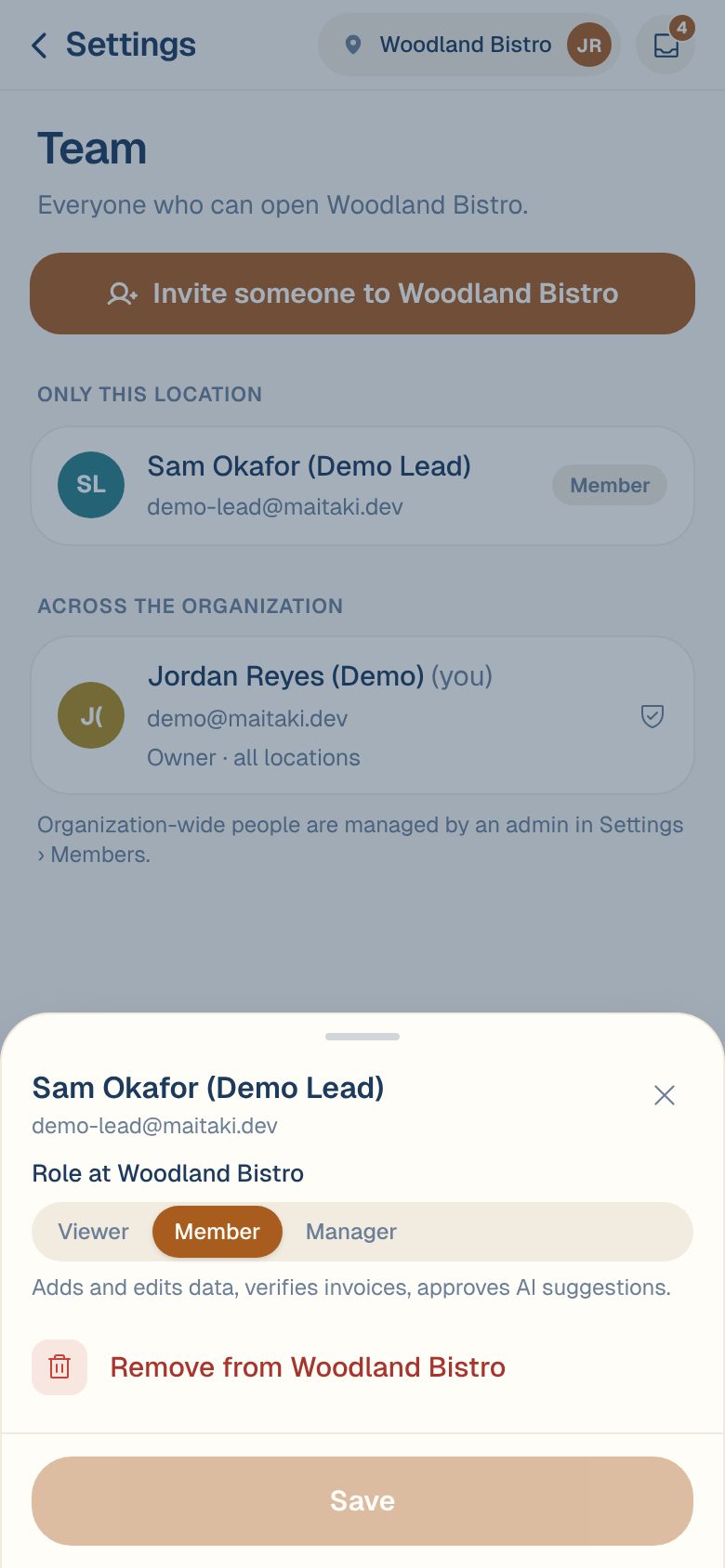
If it’s their only location, they leave the organization. You’ll see that they were removed because this was their only location. To bring them back, invite them again.
People under Across the organization are managed by an Admin or the Owner in Settings → Members.
Common questions
Can I undo a removal?
Not directly. Invite them again with the role and locations they had. See Invite someone to your team.
They were invited but never joined. How do I cancel that?
Revoke the invite under Pending invites. See Resend, copy or cancel an invite.
I can't remove myself.
Nobody can change their own access. Ask another Admin or the Owner.