Set your business day and timezone
Tell Maitaki when your day ends, so sales after midnight count toward the night they belong to.
Also known as: close of day · end of day · after midnight · late night · wrong day · time zone · closing time · cutoff · rollover · day starts
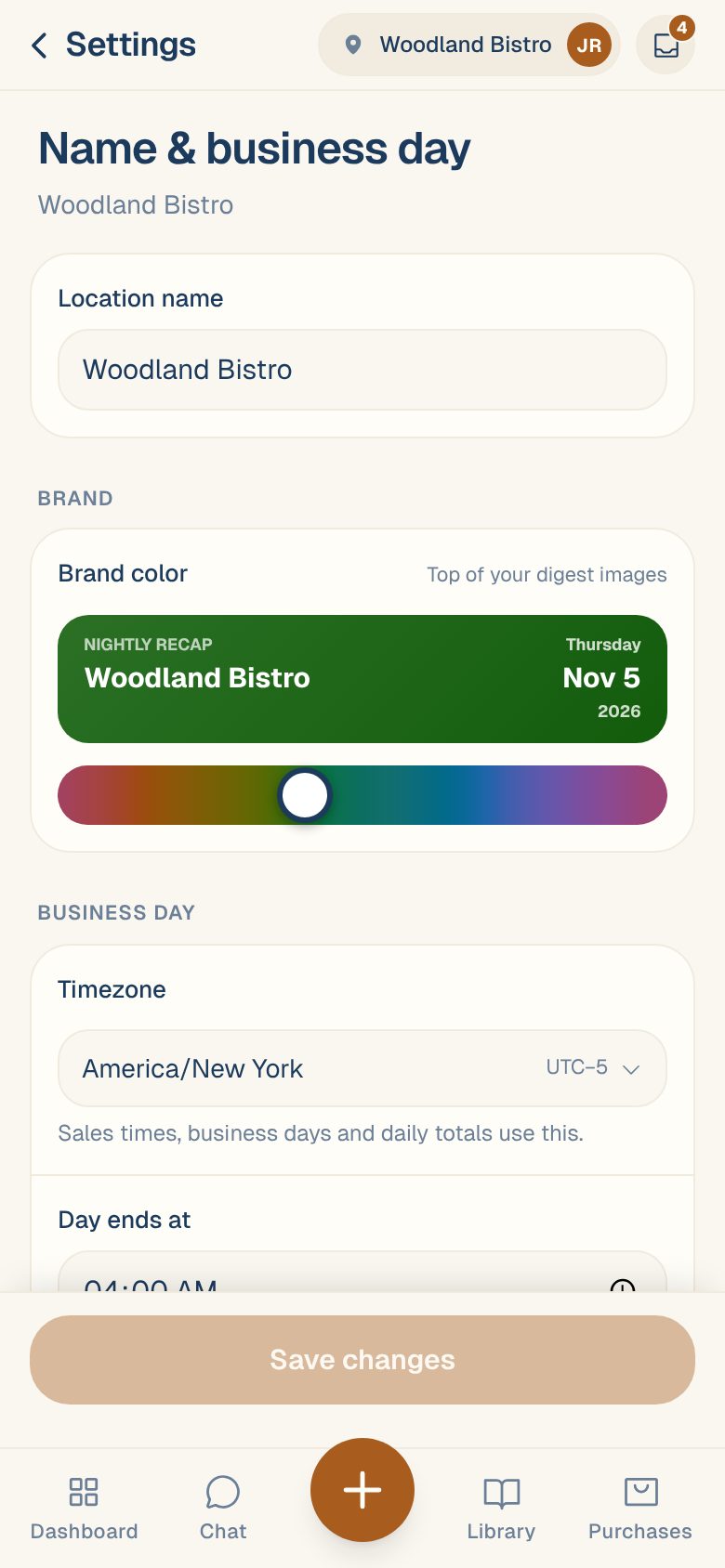
A restaurant’s day doesn’t end at midnight. If you close at 1:30 AM, those last checks belong to the night before. Two settings decide this for each location: its Timezone and the time its Day ends at.
They’re used for sales times, business days, daily totals, and what Maitaki calls “today”.
Change them
- Open the account menu (your location and avatar, top right on a phone; bottom left on a computer) and tap Settings.
- Tap your location, then Name & business day. Its row shows the current timezone and when the day ends.
- Under Business day, pick your Timezone.
- Set Day ends at. Sales before this time count toward the previous day. It starts at 4:00 AM.
- Tap Save changes.
Maitaki then re-sorts your past sales under the new settings. You’ll see Saved — history is being re-bucketed under the new clock. Totals refresh in a minute or two.
Pick a time after your last sale and before anyone opens. If you close at 1:30 AM and prep starts at 7:00 AM, 4:00 AM works well.
Check your timezone matches your POS
When you connect Toast or Clover, the test shows the timezone your POS uses. Your location’s Timezone should be the same. If it isn’t, sales times look off by hours and late sales can land on the wrong day.
Which sales it affects
| Source | Which day a sale counts on |
|---|---|
| Loyverse and Valor | The time of the sale, in your Timezone, with Day ends at as the cut-off. |
| Toast | The business date Toast gives the check. |
| Clover | The day of the order’s first payment, as Clover’s own reports count it. |
For the details, see Which day does a sale count on?
Common questions
Do I need to change anything for daylight saving time?
No. Pick your area’s timezone and Maitaki follows the clock change.
Why can't I change these settings?
Only Managers, Admins and Owners can. Everyone else sees them greyed out.
My totals still don't match my POS.
See My sales don’t match my POS for the usual causes.