Link recipes to menu items
Match each dish on your menu to the recipe, or recipes, that make it, so Maitaki can cost it.
Also known as: map recipe · connect recipe to dish · portion · attach recipe · combo · plate cost · match recipes · auto match · unlinked dishes
A dish on your menu has a price, and its recipe has a cost. Linking the two is what lets Maitaki show the dish’s margin and its profit from real sales. A dish can be made of more than one recipe: a burger plate might be the burger plus a side of fries.
You can link every dish at once, or one dish at a time.
Link them all at once
- Tap Library, then the Menus tab.
- Tap Link recipes. Maitaki starts matching straight away: Matching menu items to recipes…
- Read the summary at the top: how many dishes matched, and how many need a recipe.
- Under Matched, check each dish and the recipe or recipes it was matched to. An amount like ×0.5 is how much of the recipe goes into the dish (see below). The percentage is how sure the match is.
- Tap Confirm to save the links. The button shows how many links will be made.
Matching only uses recipes you’ve already made, and only looks at dishes that don’t have a recipe linked yet. Dishes listed under No recipe yet need a recipe made first. Make them, then tap Link recipes again.
Link one dish
-
Tap Library, then the Menus tab, and open the menu.
-
Tap the dish.
-
Under Made of these recipes, tap Link recipe.
-
In the box marked ×, enter how much of the recipe goes into one dish. Leave it at 1 if the recipe makes one portion.
-
Tap the recipe.
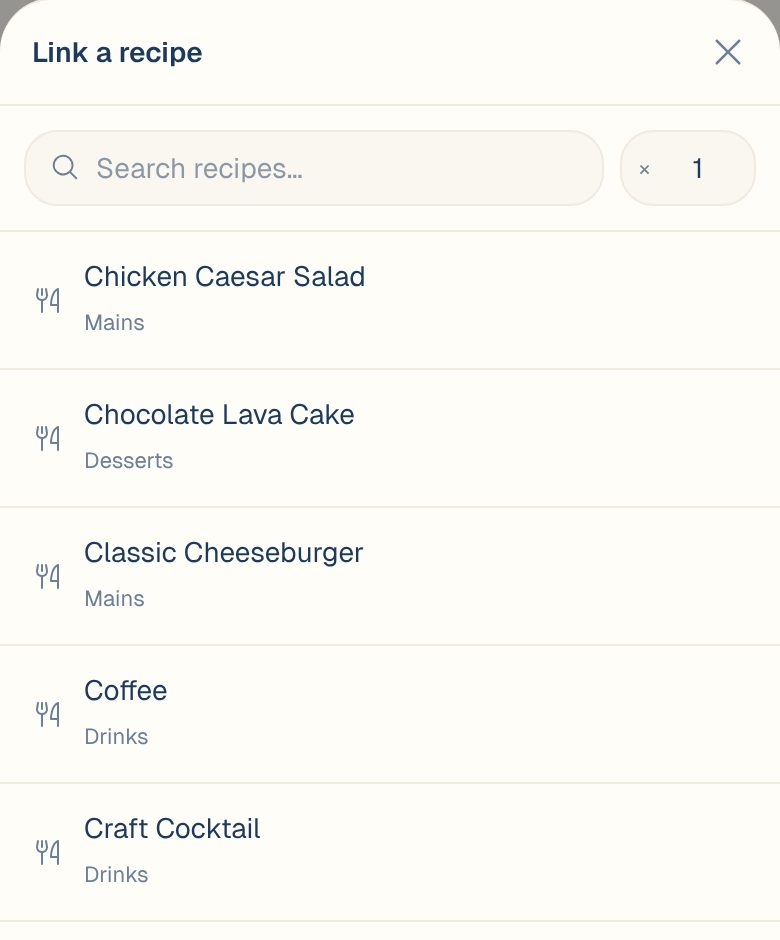
To add a second recipe, such as a side, tap Link recipe again. To remove one, tap the trash icon next to it.
Get the amount right
The amount is counted in the recipe’s yield unit. See Set a recipe’s yield.
| The recipe yields | One dish uses | Enter |
|---|---|---|
| 1 portion | One portion | 1 |
| 10 portions | One portion | 1 |
| 1 portion | A half order | 0.5 |
| 4 qt of soup | A 1-cup bowl | 0.25 |
Common questions
I picked a recipe when I added the dish. Do I still need to link it?
Support content coming soon. Email support@maitaki.ai and we’ll walk you through it.
A match is wrong.
Confirm the links, then open that dish, remove the wrong recipe with the trash icon, and link the right one.
Who can link recipes?
Managers, Admins and Owners. See Roles: who can do what.