Price movers and top spend
What's going up, what's going down, and where the money goes.
Also known as: biggest spend · price increases · price drops · inflation · top purchases · most expensive · what costs most · price changes · trending
The Ingredients tab has two quick views beside the full list. Movers shows the prices that changed most since you last bought. Top spend shows which ingredients take the most of your purchasing money.
See what’s moving
- Tap Library. It opens on the Ingredients tab.
- Tap Movers.
You’ll see two lists:
- Trending up: the biggest price rises, largest first, like +15.1%.
- Trending down: the biggest drops, like -2.3%.
Each compares the ingredient’s current price with the purchase before it, per pricing unit. Up to eight show in each list, and changes under half a percent are left out. Tap one to open it and see its full history. See Current price and price history.
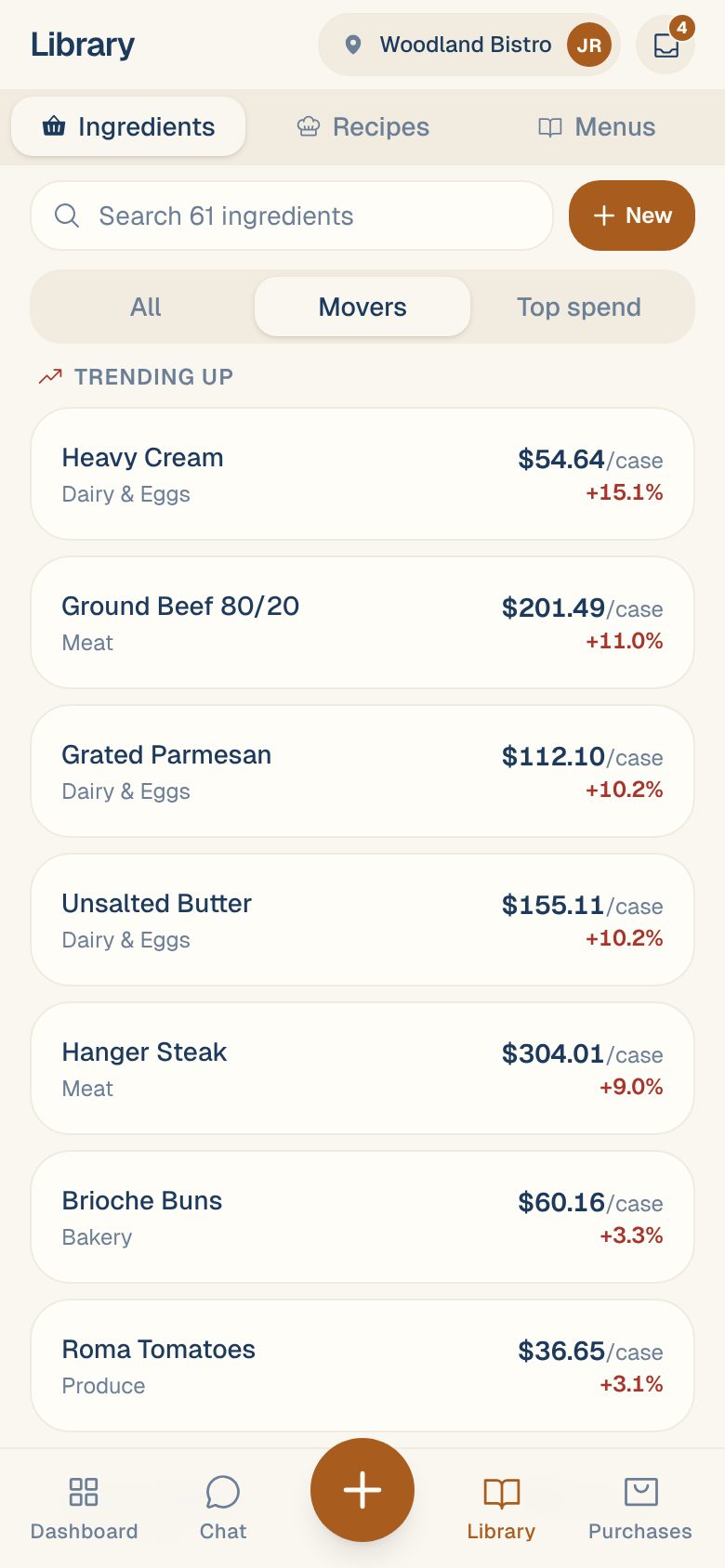
If you see Not enough price history yet to spot movers., your ingredients have been bought only once so far.
In the All list, a small red arrow beside a price means it went up last time, and a green one means it went down.
See where the money goes
- On the Ingredients tab, tap Top spend.
- Pick 7d, 30d or 90d.
The total you spent on ingredients over those days shows at the top right. Below, ingredients are listed from most to least spent, each with what you spent and its share of the total, like $10797.78 · 21%.
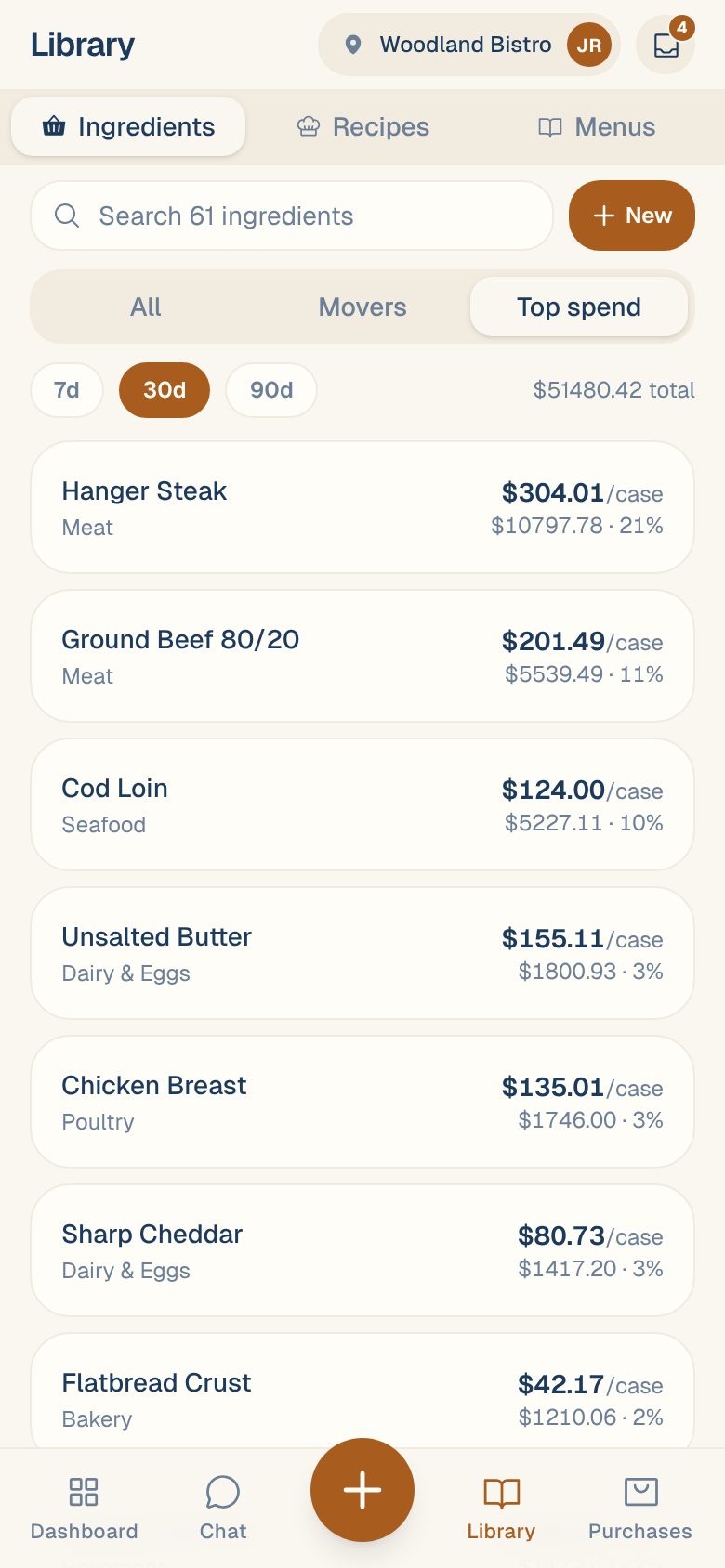
Spend is counted from invoice lines linked to an ingredient, by invoice date. Fees, taxes and lines not linked to an ingredient aren’t included, so the total can be lower than your invoices add up to. For your full purchasing picture, see Read your Purchases report.
Start with the top of the list. A small price rise on your biggest spend costs more than a big rise on something you rarely buy. Check the top few for cheaper vendors. See Compare prices across vendors.
Common questions
Why did an ingredient jump when the vendor's price didn't change?
Check its pack. If one invoice had the case read differently, the price per unit moves even though the case price didn’t. Open the ingredient and look at Price History. See Set a product’s pack size.
Is a move between two vendors counted?
Yes. The current price and the one before it can come from different vendors, so switching to a pricier vendor shows as a rise.
Can I get told when a price goes up?
Price hikes on things you buy show in Savings & Alerts. See Savings & Alerts.