Merge duplicate ingredients
Combine two entries for the same thing, history and all.
Also known as: duplicate · combine · dedupe · same item twice · double ingredient · join ingredients · two of the same · duplicated · consolidate
Two ingredients for the same thing, like “Parmesan” and “Grated Parmesan”, split your prices and your recipes between them. Merging folds one into the other, so you have one ingredient with all its products, prices and recipe uses.
Merge them
Start from the one you want to get rid of.
- Tap Library, then the duplicate ingredient.
- Tap Edit at the top right.
- Tap Duplicate of another ingredient? Merge it…
- The Merge into another ingredient sheet opens, with the closest names at the top. Search if you don’t see the one you want, and tap it.
- Tap Merge into the ingredient to keep.
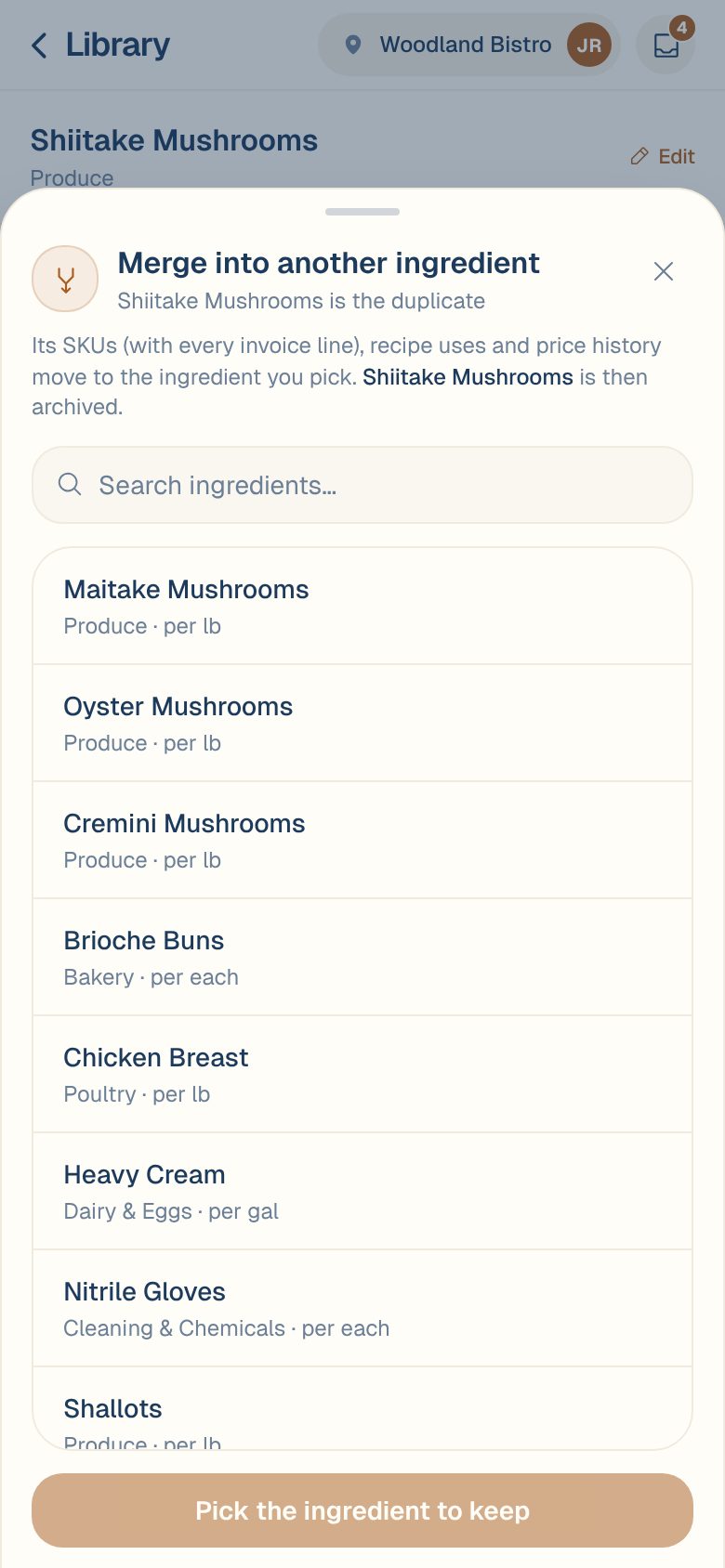
You’ll see how much moved, like Merged into Grated Parmesan · 2 SKUs, 3 recipe uses moved, and the ingredient you kept opens.
What happens
- Products and prices move. Every vendor product, with every invoice line, and the price history move to the ingredient you kept. Its current price is worked out again from all of them.
- Recipes follow. Recipes that used the duplicate now use the one you kept, so their costs stay right.
- The duplicate is archived. It disappears from your Ingredients list.
Check the direction before you tap. The ingredient you opened is the one that goes. Its name says so at the top of the sheet: name is the duplicate.
When Maitaki won’t merge
Both ingredients have to be measured the same kind of way: both by weight, both by volume, or both by count. If one is priced per lb and the other per each, you’ll see a message saying merging would leave its purchases unpriceable. Change one ingredient’s pricing unit first. See Choose an ingredient’s pricing unit.
Common questions
Only one product is in the wrong place, not the whole ingredient.
Move that product instead of merging. See Move a product to another ingredient.
Can I undo a merge?
There’s no undo button. To split a product back out, create the ingredient again and move the product to it. See Move a product to another ingredient.
Can I merge ingredients from two locations?
No. Each location keeps its own ingredients, and both have to be at the same location.